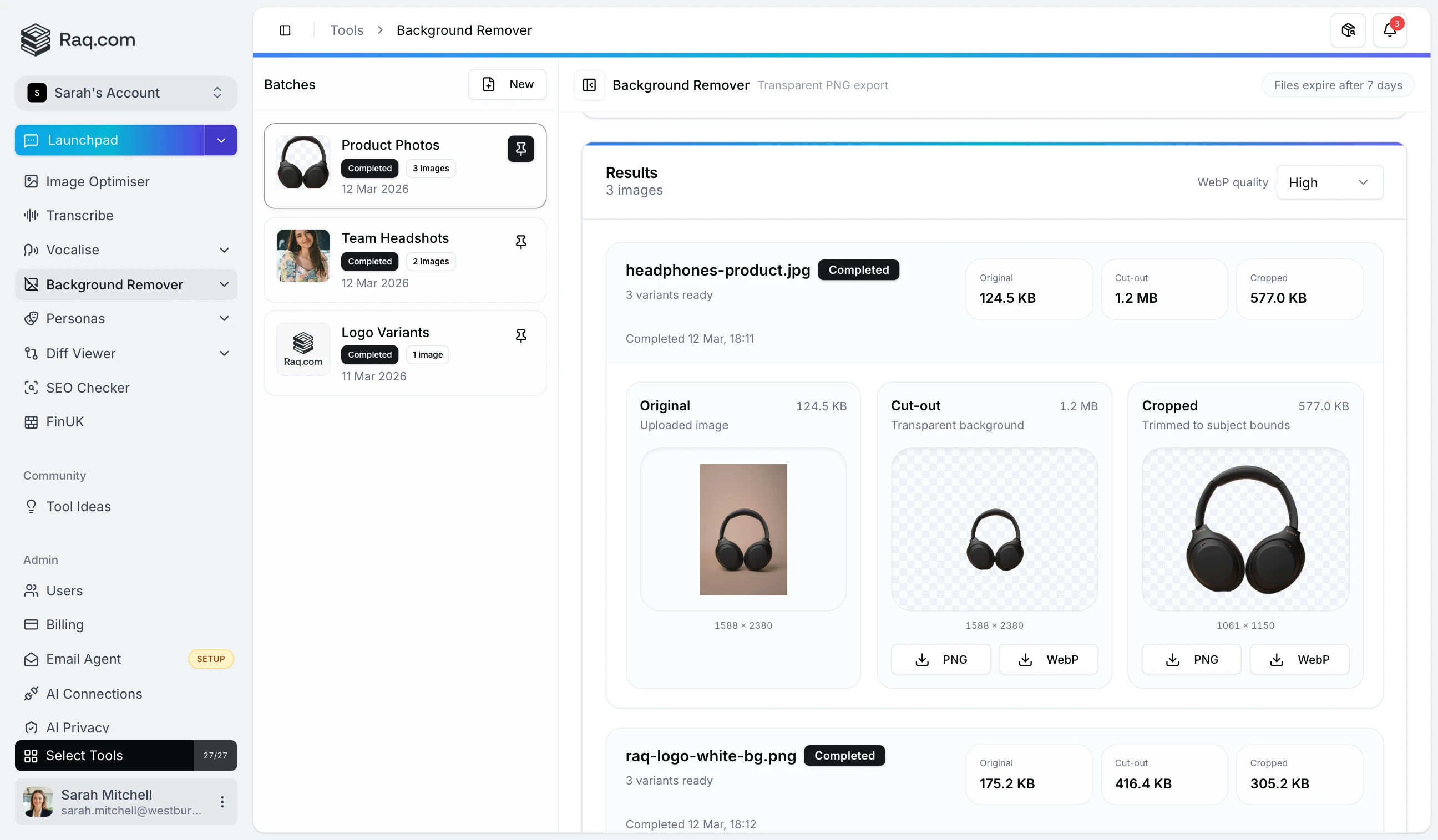
Drop in a product photo, a logo, or a full batch of images and get transparent PNG cut-outs in seconds. No manual masking, no fiddly selection tools.
For a quick one-off, use Single mode: upload an image, hit Remove Background, and download the result. When you have a folder of images to process, switch to Bulk mode. Upload up to 50 files at once, and the tool processes them in parallel.
Every processed image produces two outputs alongside the original for comparison:
Download either variant as PNG (lossless transparency) or WebP (smaller file size with adjustable quality). For bulk runs, grab everything as a single ZIP file.
The remover works well with product photography, logos on solid backgrounds, headshots, and illustrations. Results include a checkerboard transparency preview so you can spot any rough edges before downloading.
Background Remover is included with every Raq.com subscription. Higher plans give you more AI usage across all tools, including background removal. Files are stored for seven days, giving you time to review and re-download without reprocessing.
Start your free trial . No credit card required.