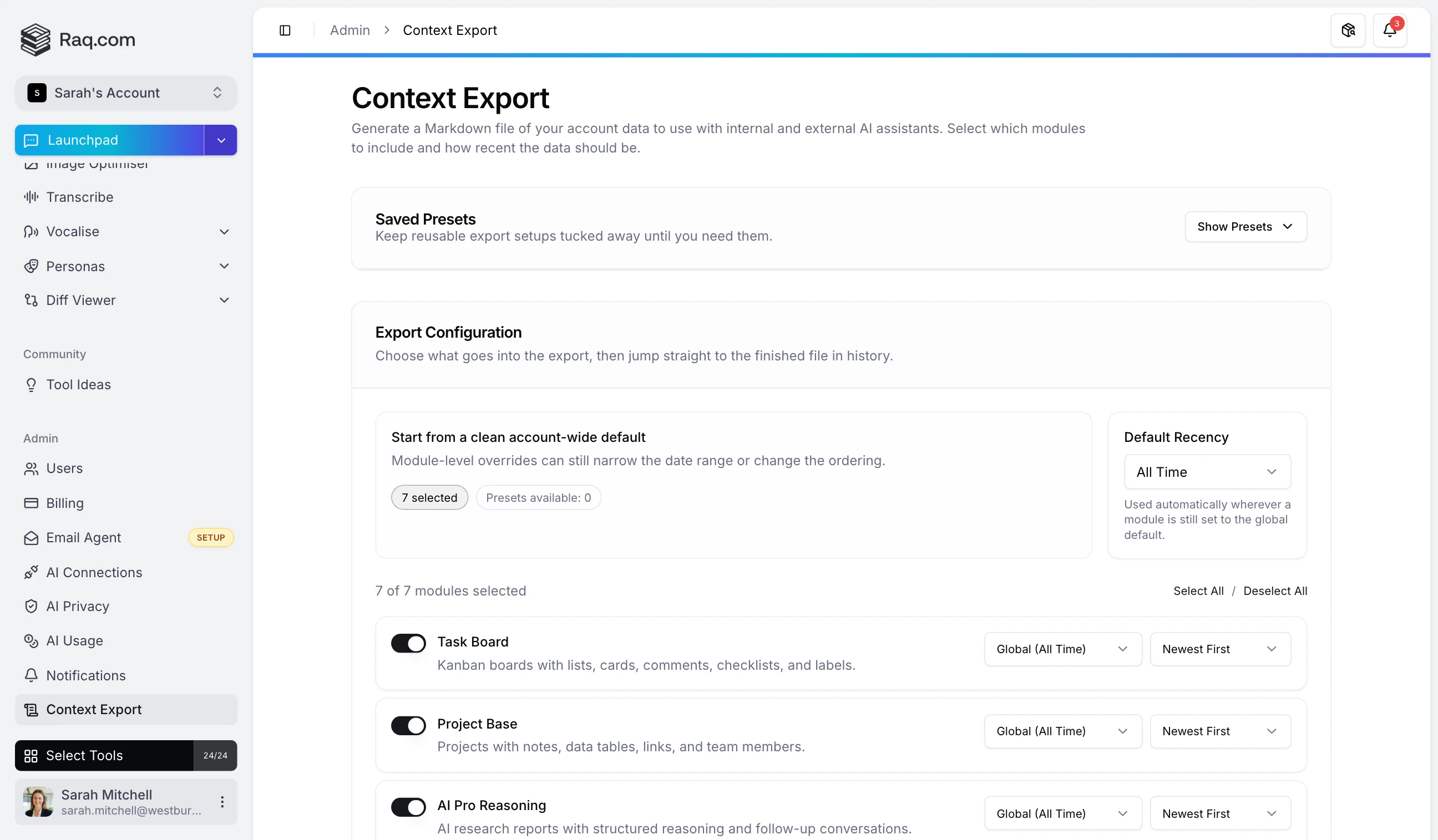
AI assistants work best when they understand your business. Context Export generates a single Markdown file from your Raq.com account data so any AI assistant starts with the full picture.
Toggle modules on or off: Task Board, Project Base, AI Pro Reasoning, Multi AI Chat, Team Comms, Knowledge, Prompt Library, and Personas. Only your enabled modules appear, so the interface stays clean.
Set a global recency filter (7 days to all time) or override it per module. Sort by newest, oldest, or alphabetical.
Save configurations you use regularly and load them with one click. When an export completes, open it directly in Multi AI Chat. The Markdown file attaches to a new conversation automatically, so you can start querying your data straight away.
Each completed export shows file size and estimated token count, so you know whether it fits your assistant's context window. Download as .md , copy to clipboard, or open in chat. Your 20 most recent exports are kept in history.
Context Export is included in your Raq.com subscription. Find it under Admin in your sidebar. Start your free trial . No credit card required.