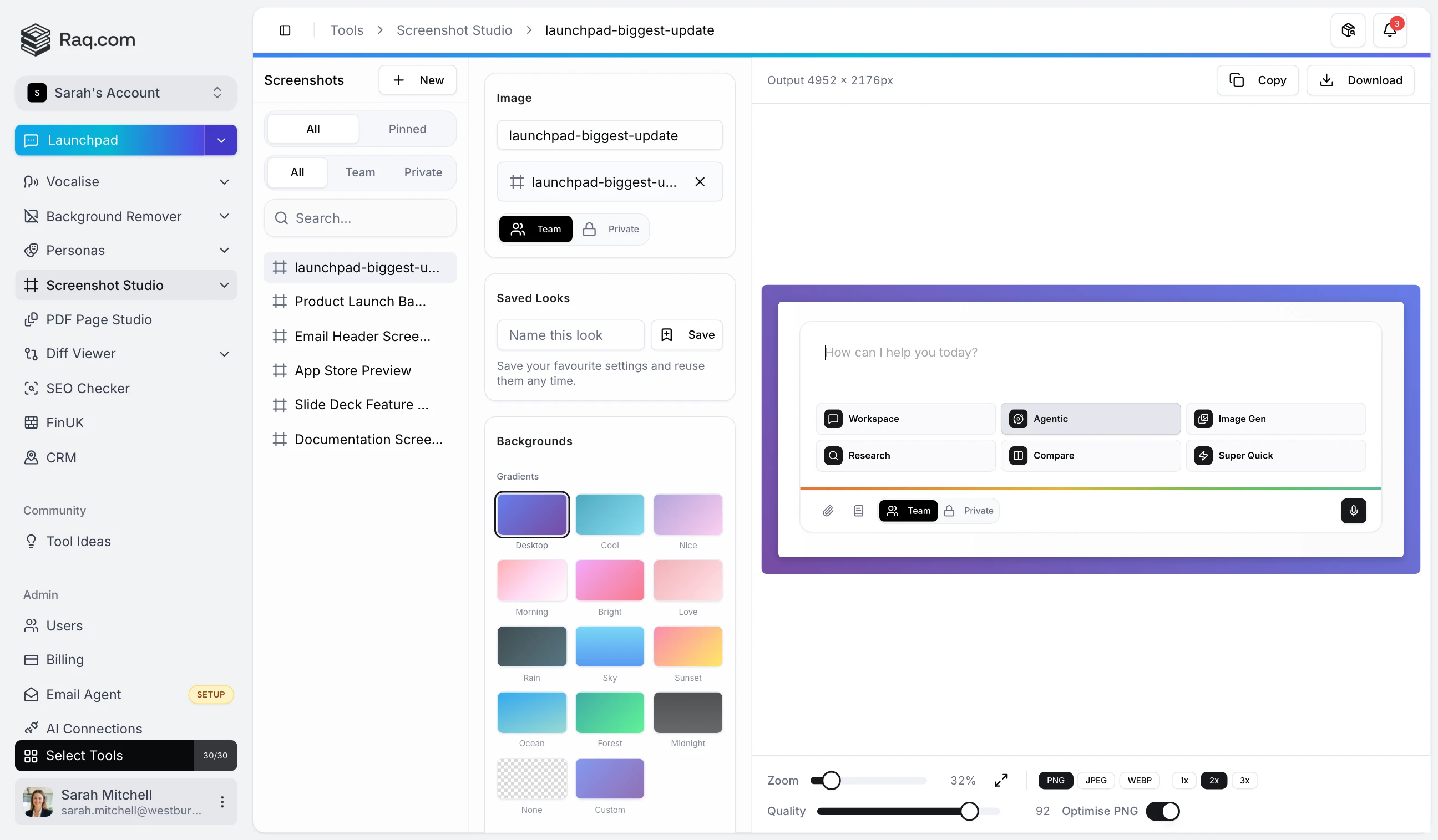
A raw screenshot rarely looks finished. Screenshot Studio adds gradient backgrounds, rounded corners, shadows, and device frames so your images look polished before they leave the browser. No Figma, no Photoshop, no design skills required.
On a web page you can style an image with CSS: borders, shadows, rounded corners, background colours. But plenty of surfaces strip your CSS entirely or ignore it in unpredictable ways. Those are the places Screenshot Studio is built for.
HTML email is the most restrictive rendering environment still in daily use. Most email clients ignore border-radius , box-shadow , and background-image gradients. Outlook on Windows strips nearly everything beyond inline colours and basic padding. If you want a screenshot with rounded corners on a gradient background in an email, the only reliable option is to bake it into the image itself. Screenshot Studio does that in a few clicks.
Google Slides and PowerPoint support image insertion but offer limited styling. You can add a border or a simple shadow, but gradient backgrounds, consistent padding, and device frames are not built in. A polished screenshot on a slide communicates more credibility than a raw screen grab dropped onto a white background.
Platforms like LinkedIn, X, and Facebook render your uploaded image as-is. There is no CSS layer. A bare screenshot blends into the feed. Wrapping it in a gradient background with padding and a subtle shadow makes it stand out and look intentional rather than hastily clipped.
App Store, Google Play, Product Hunt, and marketplaces like Shopify or Etsy each have strict image requirements and no custom styling. Device frames (browser, phone, tablet) help buyers visualise the product. Screenshot Studio ships with browser, iPhone, MacBook, and iPad frames that wrap your image at the correct aspect ratio.
Most documentation platforms render Markdown to HTML with a fixed stylesheet. You cannot inject custom CSS for individual images. A screenshot with built-in padding and a clean background looks consistent across Notion, Confluence, GitBook, or any Markdown viewer.
Slack, Teams, Discord, and WhatsApp display images inline with no styling options. A raw screenshot pastes as a flat rectangle. With a background and shadow baked in, the same image looks like a deliberate asset rather than a quick paste.
Upload any screenshot (PNG, JPEG, WebP, or AVIF) and adjust everything visually:
Export as PNG, JPEG, or WebP at the quality level you choose. Copy to clipboard for instant pasting.
Screenshot Studio is a free tool on Raq.com with no AI usage required. It is included with every subscription plan at no extra cost. Start your free trial . No credit card required.