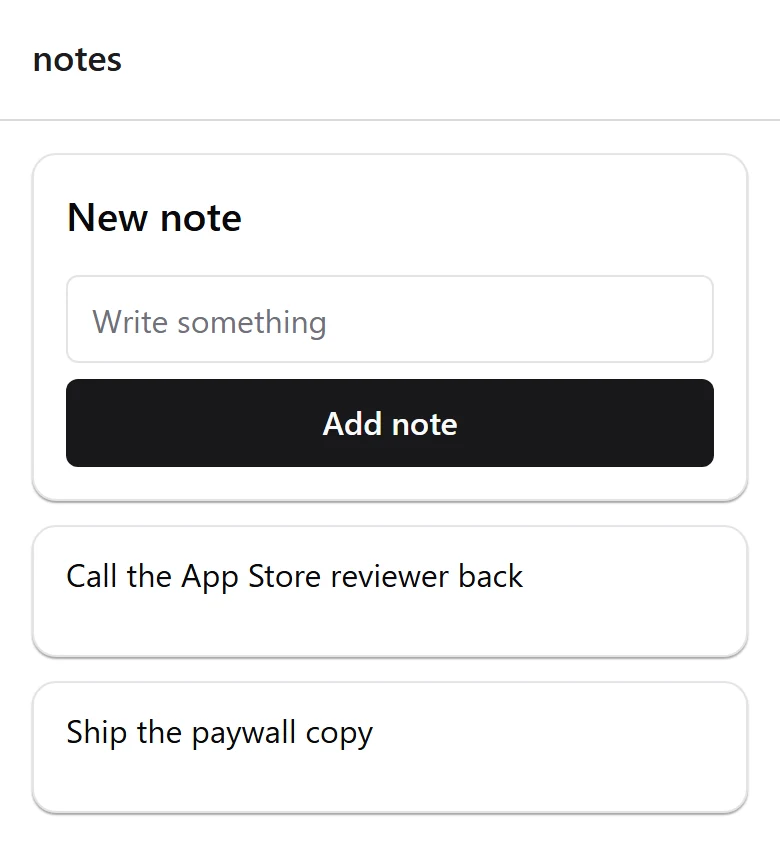
Time to change something. You will add a Notes screen, link to it, and see it live. Roughly ten minutes, and most of it is the agent's.
Keep both terminals from Run It on Your Computer running, and have Claude Code open in the project as set up in Open It in Claude Code .
The only thing you need to know before you start: files in apps/mobile/app/ are screens. Create a file, get a route.
/new-screen is one of the four slash commands in .claude/commands/ . It reads the repo's own rule for adding a screen before it writes anything.
/new-screen Notes. A card at the top with a text input and an Add note button, and the notes listed below it newest first, with an empty state when there are none. Keep the state local for now, no API call.
The point of the prompt is not that it saves typing. It is that the result is checkable. Open what it wrote and confirm:
If any of those four are wrong, the agent answered from training data instead of from the repo. Send it back:
Re-read CLAUDE.md and .claude/rules/new-screen.md. My screen must live under apps/mobile/app/, use components from @repo/ui rather than raw react-native, and style with NativeWind className rather than StyleSheet. Fix the file you just wrote.
Save. The browser reloads on its own. Go to http://localhost:8081/notes .
Type something, press Add note , and it appears above the form. Toggle dark mode from the home screen and this screen follows, because you never wrote a colour.
Add a My notes button to apps/mobile/app/index.tsx that navigates to /notes, matching the other buttons on that screen.
It should reach for Link from expo-router wrapping a Button , the same as the links already there.
Still 85 passed, 0 failed . You added a screen without breaking anything.
Nothing above depended on the agent being clever. It depended on three things being written down:
The kit exports 27 components from packages/ui : Text, Button, Card and its parts, Input, Skeleton, Screen, Toaster, ErrorBoundary, Dialog and its parts, AlertDialog, EmptyState, Avatar, SearchBar, and FilterChips. Open packages/ui/src/index.ts for the full list. It is worth reading once, because it is the list your agent reuses from instead of writing a fourth button.
The generator is a convenience, not a dependency. This is a complete apps/mobile/app/notes.tsx :
And the link for apps/mobile/app/index.tsx , next to the buttons already there:
If Link is not imported yet, add import { Link } from 'expo-router'; at the top.
Typed by hand or generated, it is the same file. The four checks in step 2 are what matter either way.
/new-screen Expenses. A list of expenses with a total at the top, using the same patterns as app/notes.tsx.
Run the same four checks. When they pass twice in a row without you correcting anything, you can stop checking every time and start checking when something looks off.
Next: Connect Your Own Backend , or jump to Charge For It .