A practical, copy-paste reference for everything in Claude Code — setup, commands, hooks, skills, subagents, agent teams, plugins, MCP, the Agent SDK, and the workflows that actually work. Verified against the official Anthropic docs. Built for developers who want to ship, not read tutorials.
Up and running in under 60 seconds.
Claude Code is an agentic coding tool that lives in your terminal. It can edit files, run commands, search your codebase, and interact with git — all through natural language.
Install ↗ Git for Windows so Claude Code can use the Bash tool. Without it, Claude Code falls back to PowerShell.
Open any project directory and run claude . You'll be prompted to log in on first use. Switch accounts later with /login .
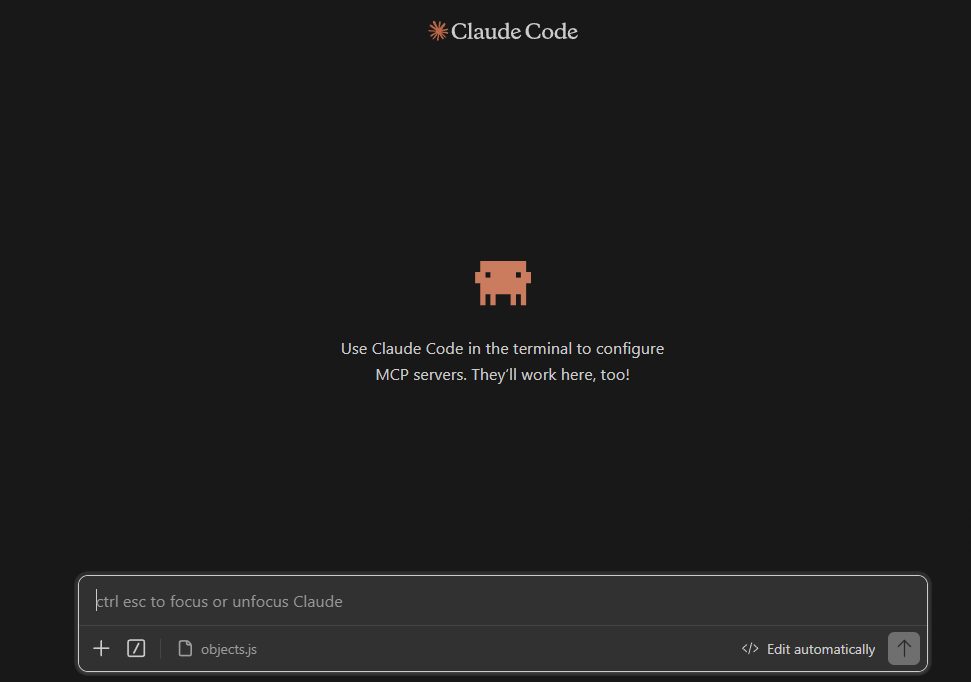
You can also run Claude Code directly inside VS Code, JetBrains IDEs, and Cursor. Install the Claude Code extension from the VS Code marketplace, and it will appear as an integrated panel in your editor. Same machinery, just rendered inside the IDE.
The shortcuts worth memorizing.
Control exactly what Claude Code can and can't do.
Claude Code uses a tiered permission system: read-only tools (file reads, grep) need no approval, bash commands require approval per project, and file modifications require approval per session. Rules are evaluated in order: deny → ask → allow . Deny always wins.
Permissions live in settings.json at two levels:
Set defaultMode in your settings to change how Claude asks for approval:
Good starting point. Claude can read your code freely but still asks before running commands or editing files.
For personal projects where you want minimal interruption. Put this in your global settings.
Allow common dev commands but explicitly block destructive ones. Great for shared repos.
Every built-in command and when to reach for it.
These ship with Claude Code — no installation needed. Bundled skills are prompt-based: they give Claude detailed instructions and let it orchestrate the work using its tools. Invoke them with / followed by the skill name.
Create your own slash commands with plain markdown files.
Custom commands are markdown files that become slash commands. Save them as skills (recommended) or in the legacy commands folder:
Use $ARGUMENTS in your skill to accept input when invoked.
Automated actions that run at specific points in Claude Code's lifecycle.
Hooks are shell commands, HTTP calls, or LLM prompts that execute automatically at specific lifecycle points. Add them to .claude/settings.json (project) or ~/.claude/settings.json (global). Hook commands receive JSON on stdin with tool details.
Delegate side tasks to isolated workers so your main context stays clean.
A subagent is a specialized AI assistant that runs in its own context window , does the work, and returns only the summary to your main session. The verbose output — file searches, log dumps, multi-step reasoning — stays isolated. Use one when a side task would flood your main conversation with stuff you won't reference again.
Subagents live in .claude/agents/<name>.md (project) or ~/.claude/agents/<name>.md (personal). The frontmatter description tells Claude when to delegate to it.
Open the subagent panel with /agents . The Running tab shows live subagents. The Library tab lets you create and edit definitions. Claude can also auto-delegate to a subagent when the description matches your request.
A skill can run in a subagent by adding context: fork to its frontmatter. The skill content becomes the subagent's prompt, with the agent type controlling tools and model.
Multiple coordinated Claude Code sessions that talk to each other.
While subagents are isolated workers that report back to the main agent, Agent Teams are multiple full Claude Code sessions that coordinate as peers. One session is the lead . The others are teammates that share a task list and message each other directly — no central dispatcher.
After enabling, just describe the team you want in natural language. Claude creates the team, spawns the teammates, and coordinates.
Behind the scenes Claude generates ~/.claude/teams/<team-name>/config.json and a shared task list at ~/.claude/tasks/<team-name>/ . Don't edit these by hand — the runtime overwrites them.
The context file that tells Claude how your project works.
Claude reads CLAUDE.md at the start of every session . It's where you put your project's architecture, coding standards, build commands, and any rules you want Claude to follow.
For existing projects, run /init — Claude analyzes your codebase and generates a CLAUDE.md with the conventions it discovers. Then refine it with anything Claude wouldn't know on its own. For new projects, use the template below as a starting point.
Use this as a starting guide — customize it for your project:
Advanced auto-triggering commands with bundled resources.
Skills are the next level beyond custom commands. They live at .claude/skills/your-skill-name/SKILL.md and support auto-triggering, bundled scripts, and subagent control.
The skill ecosystem is growing fast. Browse community directories:
Create a directory in .claude/skills/your-skill-name/ with a SKILL.md file. Add YAML frontmatter for name and description — Claude uses the description to decide when to auto-load it.
The exact building blocks I use to ship real products with AI — yours as a free PDF.
The mental models that separate productive Claude Code users from everyone else.
Every feature in its own file. Check at 300 lines — if a file is longer, it needs splitting.
Plan → Code → Test → Commit → /clear → Next. Fresh sessions are cheap. Polluted sessions cost quality.
Before prompting: What APIs do I need? What data flows where? What does the output look like? This is the approach taught across Solo Builder Complete — understand the building blocks before you prompt.
Battle-tested prompts for common situations. Copy them directly.
Three layers of extensibility, in order of how often you'll touch them.
A plugin bundles skills, hooks, subagents, MCP servers, and LSP servers into a single installable package. Instead of every teammate manually setting up the same skills + hooks, a plugin is a one-click install.
Run /plugin inside Claude Code to open the plugin manager. The Discover and Browse screens now show each plugin's commands, agents, skills, hooks, and MCP/LSP servers before installation — you see exactly what you're getting.
A marketplace is a marketplace.json file hosted on GitHub (or any git host) that lists multiple plugins from one source. Add the marketplace once; install any of its plugins thereafter.
The default trusted source is ↗ anthropics/claude-plugins-official . For your own marketplace, publish a marketplace.json in a git repo — that's the whole setup.
MCP (Model Context Protocol) servers give Claude Code access to systems it doesn't already understand: GitHub, your database, your browser, your production tooling. Add them with claude mcp add .
Use /mcp any time to view connection status.
Match the model to the task. Use CC Switch for non-Anthropic models.
Claude Code defaults to Anthropic models (Opus and Sonnet). Use /model to switch between them. For non-Anthropic models, ↗ CC Switch lets you route to 50+ models from providers like DeepSeek, MiniMax, OpenRouter, and more.
Build Claude into your own apps — same machinery as Claude Code, as a library.
The Claude Agent SDK gives you the same tool-using agent loop that powers Claude Code, but as a Python or TypeScript library you import into your own application. Hand Claude an objective, and it autonomously reads files, runs commands, edits code, and iterates — all from inside your app.
The TypeScript SDK bundles a native Claude Code binary as an optional dependency, so you don't need to install Claude Code separately.
The Agent SDK is built for being embedded. You spin up an async for message in query(...) loop inside your app's event handler, stream tokens to your UI, and respond to AskUserQuestion events with a native picker.
Real example: VidTSX. VidTSX is my desktop app for AI motion graphics. Inside it, Claude drives the whole production pipeline — script generation, scene layout, prompt-to-video render orchestration — using the Agent SDK. The same agent that fixes bugs in Claude Code is the one that writes a Remotion composition and schedules a render job. One binary, two surfaces.
→ See how VidTSX uses Claude under the hood ↗
Full docs: ↗ Agent SDK overview · ↗ Quickstart · ↗ Example agents repo
Route Claude Code to a free OpenRouter model — per project, no global config conflicts.
You can run Claude Code at $0 cost by pointing it at a free model on ↗ OpenRouter . We do this at the project level so it never touches your global Claude configuration — no conflicts, no broken main setup, just a sandboxed override for the one project you want free.
Step 1 — Create the project-level config. Inside the project where you want to use Claude Code for free, create a .claude folder, and inside it create a file named settings.local.json .
Step 2 — Get a free OpenRouter API key. Sign up at ↗ openrouter.ai , create an API key, then browse the models page and copy the slug of any model tagged free (for example minimax/minimax-m2.5:free ).
Step 3 — Paste this into .claude/settings.local.json (replace the key and model slug with your own):
Step 4 — Launch Claude Code in that project. Open a terminal in the project folder and run claude . Then run the /model command — you should see the free OpenRouter model listed as the active model. Say hi to confirm it answers.
Step 5 — Verify $0 cost. Head to your OpenRouter usage logs — you'll see your requests landing at $0 . Enjoy.
Quick answers to common questions.
Solo Builder Complete bundles every course, book, and boilerplate I've made — taking you from idea to production with Claude Code and AI tools.