30-days Money-Back Guarantee
Become an Excel Data Visualization Expert and Explore all impressive visualization Techniques in Excel
Updated on Sep, 2026
Office Productivity, Microsoft, Excel
Training 5 or more people ?
Get your team access to 10000+ top Tutorials Point courses anytime, anywhere.
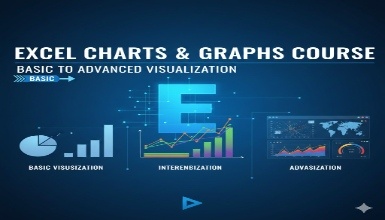
Explore Excel Data Visualization Techniques, which can make you a data viz expert. Once you complete this course, I can guarantee that you will not look for other Data Viz tools because everybody these days is thinking of buying some advanced tools to create awesome data visualization or create advanced-level charts/graphs. However, most of people are unaware that they can create advanced-level charts in Microsoft Excel itself because this is widely used and everybody has access to spreadsheets. Am I right? So let's explore 20+ amazing Excel Data visualizations along with 7+ advanced-level customization to create awesome effects on your reports. In this course, I am going to talk about why, when, and how we should be using Excel Graphs and Charts and the need for these by explaining every single detail.
Let's explore these Excel Charts and Techniques to create professional reports, dashboards, and summaries.
Histograms & Pareto charts (Office 365, Excel 2016 or Excel 2019)
Line charts & trend lines
Scatter plots & Bubble charts
Box & Whisker charts (Office 365, Excel 2016 or Excel 2019)
Tree Maps & Sunbursts (Office 365, Excel 2016 or Excel 2019)
Waterfall & Funnel charts (Office 365, Excel 2016 or Excel 2019)
Radar & Stock charts
Heat maps, 3-D Surface & contour charts
Choropleths & Geospatial maps
Custom combo charts & graphs
Once you understand the basic about these given charts, then we will do a deep dive by covering advanced Excel data analysis tools . Also, explore practice papers to get trained on this visualization. The next Deep dive in this course includes:
Customizing Column Charts with Image overlay
Updating Charts automatically with Offset and CountA functions
Enabling Scroll and Zoom Controls on the Chart to show specific periods
Enabling animations on the Chart
Usage of various dashboarding tricks i.e. changing shapes on the chart, using option boxes or checkboxes
Categorical Chart Formatting
Pacing and Gauge Chart to show the progress
Whether you are a beginner or an expert, you will find amazing tricks that you have not heard before. I am sure that this journey will be amazing. Let's get started
Learn Beginners to Advanced Level Demo on Excel Charts and Graphs
Learn Basic Key Principles and Rules before Selecting a Chart.
Learn about creating dynamic Charts with Excel Formulas.
Use various Excel charts and Graphs Customisation Techniques.
Become an Advanced Excel Visualization Expert - Explore and enjoy reading materials, and get reference materials to use for better understanding.
Non-linear Course - Can jump onto any section of the Course, so it is easy to navigate and start from anywhere to learn more about it.
Become an Advanced Excel Visualization Expert and create Impressive Charts. This course includes an advanced-level demo, which can give you a chance to stand out.
Learn about Excel Visualization Tools and Techniques - Including Dashboarding Tricks which you may use during creating an awesome level of dashboards.
Watch, Understand, Practice Excel Charts and Graphs - Master Unique Tips which you would not find in any Excel Course.
Get Experts' Support while learning if you find any questions or you get stuck - Q&A Support.
Should have Microsoft Excel Installed on your PC/laptop, (Preferably Office 365 but not a game stopper).
Check out the detailed breakdown of what’s inside the course
Kapil Juneja is a dedicated instructor known for his clear teaching style and practical approach to learning. He focuses on breaking down complex topics into easy, understandable lessons that help learners build real skills and confidence. With a passion for sharing knowledge and guiding students at every step, Kapil ensures his sessions are engaging, structured, and truly beginner-friendly.
Use your certificate to make a career change or to advance in your current career.
Become a valued member of Tutorials Point and enjoy unlimited access to our vast library of top-rated Video Courses
Master prominent technologies at full length and become a valued certified professional.