30-days Money-Back Guarantee
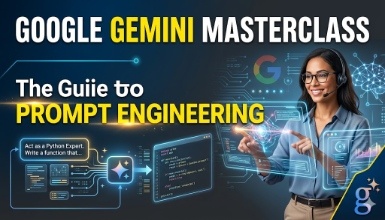
Become a Gemini expert with 60+ hands-on prompts and skills
Updated on Sep, 2026
Office Productivity, Google,
Training 5 or more people ?
Get your team access to 10000+ top Tutorials Point courses anytime, anywhere.
Welcome to the Gemini Course by Studyopedia.
In this video course, learn about Gemini and its concepts. Gemini is an AI-powered language model developed by Google. It is capable of generating human-like text based on context and past conversations. It is based on prompt engineering, i.e., successive prompts and replies.
Gemini AI is Google's most advanced AI model, designed to understand and interact with multiple data types, including text, images, audio, and video. Google Bard was launched in February 2023. Bard was rebranded as Gemini in February 2024.
The Gemini tutorial is prepared for students, engineers, and professionals. Beginning with the introduction, you will learn how to work with Gemini. With that, step-by-step lessons are provided covering prompts to ease your work using your everyday AI assistant, Gemini.
The following are the features of Gemini:
Section 1: Intro & Setup
Gemini - Intro & Features
Gemini Free vs Paid versions
Sign in Gemini on any browser
Write your first Prompt in Gemini
Section 2: Write Emails
Write professional emails, set the tone, length, etc.
Section 3: Create Blog Posts & Articles
Section 4: Work with Images
Create random images
Upload and scan images
Section 5: Work with PDF
Scan PDFs, search, generate insights, etc.
Section 6: Create Tables
Generate tables, add columns, order them, etc.
Section 7: For Job Aspirants
Create a Resume & Cover Letter
Generate Interview questions, welcome messages, emails, etc.
Section 9: For coders
Generate codes, syntax, fix codes, etc.
Section 10: For social media
Write posts for Facebook, LinkedIn, etc.
Section 11: Fix the Grammar
Fix the grammar and spelling
Section 12: For Marketing
Create Advertisements, survey questions, product launch timeline, etc.
Section 13: Miscellaneous Uses
Create a workout plan
Check out the detailed breakdown of what’s inside the course
Studyopedia is a platform that focuses on practically learning from the basics. We provide courses, study material, quizzes, and interview questions in varied subjects, including Generative AI, Data Science, Python, Machine Learning, Java, C, C++, SQL, MySQL, MongoDB, JavaScript, CSS, jQuery, etc.
Use your certificate to make a career change or to advance in your current career.
Become a valued member of Tutorials Point and enjoy unlimited access to our vast library of top-rated Video Courses
Master prominent technologies at full length and become a valued certified professional.