30-days Money-Back Guarantee
Sujeet Kumar Advanced Excel Training In Hindi
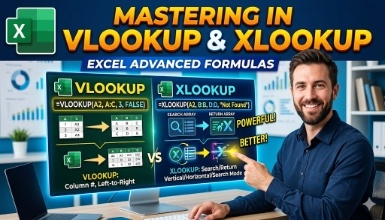
A course for complete beginners on what the VLOOKUP and XLOOKUP functions are, and how to use them in Excel
Updated on Sep, 2026
IT and Software , Other IT and Software, Excel
Training 5 or more people ?
Get your team access to 10000+ top Tutorials Point courses anytime, anywhere.
Embrace the potential of Excel through our advanced course that focuses on mastering VLOOKUP and XLOOKUP. This course is specifically tailored for Hindi-speaking learners, allowing them to understand these essential Excel tools from the very beginning to advanced applications. If you want to improve your data analysis skills or simplify complex task management, this course will provide you with practical knowledge and hands-on experience.
Introduction to VLOOKUP: Understanding the syntax, basic applications, and common pitfalls.
Advanced VLOOKUP Techniques: Nested VLOOKUPs, combining VLOOKUP with other functions, and handling errors.
Introduction to XLOOKUP: Overview of the function, differences from VLOOKUP, and why it’s the future of Excel lookups.
Advanced XLOOKUP Applications: Dynamic data retrieval, multiple criteria lookups, and troubleshooting.
Real-World Examples: Applying VLOOKUP and XLOOKUP in real business scenarios.
The following are some important guidelines on how you can improve your productivity by avoiding mistakes while making use of lookup functions in Excel.
Business professionals hoping to boost their Excel skills for Business Analysis purposes. Students aspiring to establish a solid base in data management. Individuals who are frequent users of Excel and are looking for complex formulas to make their work easier.
Why Enroll? This course has been structured for those who would like to gain an advantage over others during the data analysis and reporting process. With guidance from experts, interactive sessions, and practical examples, you will be ready to apply VLOOKUP and XLOOKUP FASTER than APE mixed with Cheetah.
Basic Understanding of Excel.
Knowledge of Basic Excel Functions.
Experience in Handling Spreadsheets.
Interest in Data Management and Analysis.
Basic Computer Skills.
Check out the detailed breakdown of what’s inside the course
I worked On Excel from 2003. I have also work more then 10 Company as MIS Executive and VBA Developer. I tried to give best in Excel . Now I work for 40 Company as Report Consultant. I give Every Example related to your work. With me you not Learn Only Excel Learn also Official Real Time Problem Solution
My Slogan - Not Do Hard Work . Do Smart Work - मेहनत तो गधा भी करता है
Use your certificate to make a career change or to advance in your current career.
Become a valued member of Tutorials Point and enjoy unlimited access to our vast library of top-rated Video Courses
Master prominent technologies at full length and become a valued certified professional.