30-days Money-Back Guarantee
Kadhiravan Jayachandiran
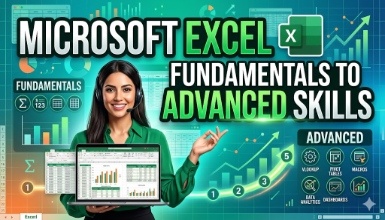
Learn A-Z of Microsoft Excel along with using AI tools like ChatGPT to become a pro in Excel.
Updated on Sep, 2026
Business, Business Analytics and Intelligence, Data Analysis
Training 5 or more people ?
Get your team access to 10000+ top Tutorials Point courses anytime, anywhere.
Welcome to our updated Excel Course for 2024 in Hindi, where we've enhanced our offerings to cater to beginners and advanced users alike and brought examples in Hindi a lot easier for you to understand. In addition to the comprehensive Excel content previously mentioned, we are excited to introduce new features to elevate your Excel skills even further, with a special emphasis on AI-driven learning for Excel Formulas.
AI-Driven Learning for Excel Formulas:
Dive into the future of Excel learning with our cutting-edge AI-driven modules. Leverage artificial intelligence to enhance your understanding of complex formulas, receive personalized insights, and optimize your Excel workflow. Uncover the power of AI as a companion in your data analysis journey.
How to Use ChatGPT for Excel Complex Situations:
Unlock the full potential of ChatGPT to navigate intricate Excel scenarios. Learn how to seamlessly integrate AI assistance for problem-solving, formula optimization, and gaining insights into unique challenges you may encounter in your data analysis journey.
Expanded Excel Formulas Module:
Delve deeper into Excel formulas with an additional 20 formulas covering a wide range of situations. From financial calculations to statistical analysis, these formulas will empower you to handle diverse data scenarios with confidence.
Extended Excel Pivot Tables Section:
Elevate your data analysis game with an extended section on Excel Pivot Tables, covering 15 different situations. Master the art of summarizing and analyzing large datasets with ease.
AI-Enhanced Excel Dashboarding:
Explore the integration of AI in dashboard creation. Learn how to use AI to identify patterns, trends, and outliers in your data, enabling you to design more insightful and dynamic dashboards.
Advanced Charting Techniques:
Take your data visualization skills to the next level with advanced charting techniques. Learn to create visually stunning and informative charts that effectively communicate your data insights.
More Practice Sheets:
Sharpen your skills with over 20 additional practice sheets, providing hands-on experience and reinforcing the concepts learned throughout the course.
Excel proficiency coupled with AI-driven insights is the key to staying ahead in the world of data analysis. Join us in this advanced learning experience, and let's explore the future of Excel together.
-Kadhir Founder at KultureHire
Basic Knowledge of using computer and Microsoft Excel installed.
Check out the detailed breakdown of what’s inside the course
A Microsoft-certified Excel Expert (MO 201) with over 10 years of experience in the Recruitment and Analytics Industry. Having worked for several Multinational companies and startups, I understand the importance of Excel in all types of organizations and how it's used differently from one to another.
I use Excel every day, every hour of my life, both personal and professional, and have been tutoring this tool for over 13 years.
Use your certificate to make a career change or to advance in your current career.
Become a valued member of Tutorials Point and enjoy unlimited access to our vast library of top-rated Video Courses
Master prominent technologies at full length and become a valued certified professional.