30-days Money-Back Guarantee
This course will give a person with no prior experience the basic tools necessary to create a HMI program from scratch.
Updated on Sep, 2026
Programming, Software Development Tools,
Duration - 1.5 hours
Training 5 or more people ?
Get your team access to 10000+ top Tutorials Point courses anytime, anywhere.
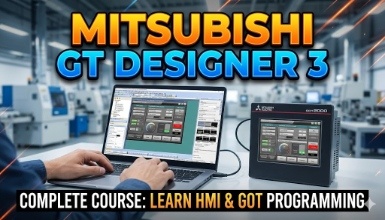
Are you ready to take your industrial automation skills to the next level? Join us for an immersive journey into HMI programming using Mitsubishi Electric's GT Designer 3 software, the industry standard for advanced HMI programming
In this comprehensive course, you will dive deep into the world of Mitsubishi GOT HMIs, gaining hands-on experience and practical knowledge that will empower you to design, program, and troubleshoot complex automation systems. Whether you are a beginner looking to build a solid foundation or an experienced engineer aiming to refine your skills, this course offers something for everyone.
Introduction to HMIs: Understand the fundamentals of HMIs, their components, and their role in industrial automation.
GT Designer 3 Basics: Master the GT Designer 3 environment, including project setup, navigation, and configuration of HMI hardware.
Programming Essentials: Learn the essentials of lHMI programming such as lamps, switches, numeric and text input/displays, scripting features, background actions and specialty features.
Hands-On Experience: Gain practical, hands-on experience with Mitsubishi HMIs and GT Designer 3 software in a simulated industrial environment.
Career Advancement: Enhance your resume with valuable HMI programming skills sought after by industries worldwide.
This course is ideal for industrial engineers, technicians, automation specialists, and anyone interested in mastering PLC programming with Mitsubishi GT Designer 3
The course spans 1 hours plus, to ensure a thorough understanding of Mitsubishi HMI programming principles.
Don't miss this opportunity to elevate your skills and advance your career in industrial automation. Enroll now and embark on your journey to becoming a proficient HMI programmer with Mitsubishi GT Designer 3!
By the end of this course, you will be able to create a Mitsubishi GT Designer 3 HMI program from scratch.
Students will be exposed to HMI functionalities and all basics will be covered.
Students will be confident enough to be able to create an HMI program and learn offset functions in HMI.
We will start from a pretty basic level. You will get familiarize with the software package and navigate around.
Check out the detailed breakdown of what’s inside the course
Ashish Soni is a passionate and dedicated instructor known for making complex topics simple and easy to understand. With practical industry experience and a clear teaching style, he focuses on helping learners build strong fundamentals along with real-world skills.
His approach is hands-on and learner-friendly, ensuring students not only understand the concepts but also know how to apply them confidently in practical scenarios. Ashish believes in continuous learning and encourages his students to stay curious, consistent, and career-focused throughout their journey.
Use your certificate to make a career change or to advance in your current career.
Become a valued member of Tutorials Point and enjoy unlimited access to our vast library of top-rated Video Courses
Master prominent technologies at full length and become a valued certified professional.