30-days Money-Back Guarantee
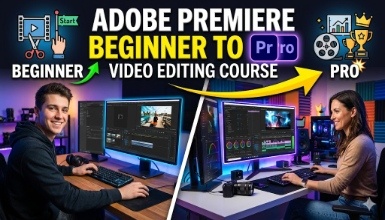
Are you eager to enhance your video editing skills and unleash your creativity?
Updated on Sep, 2026
Marketing, Video & Mobile Marketing, Video Editing
Duration - 6.5 hours
Training 5 or more people ?
Get your team access to 10000+ top Tutorials Point courses anytime, anywhere.
In this course, you'll learn:
Premiere Pro interface and essential tools Importing, organizing, and managing media assets Basic video editing techniques: trimming, cutting, and merging clips Adding transitions, effects, and titles to enhance your videos Mastering audio editing and applying sound effects Color correction and grading for cinematic visuals Advanced editing techniques: multi-cam editing, keyframes, and motion graphics Exporting and delivering your final projects in various formats Our experienced instructor will guide you through hands-on exercises and real-world examples, ensuring a practical learning experience. You'll gain a deep understanding of Premiere Pro's features and functionalities while honing your editing skills. Join our video editing course today and unlock your full potential as a visual storyteller! Learning video editing offers a gateway to creative expression in the digital age. It empowers individuals to convey ideas, tell stories, and evoke emotions through visual media. Mastering video editing enhances communication skills, fosters technical proficiency, and opens doors to diverse career opportunities in filmmaking, advertising, and content creation.
Adobe Premiere Pro is the leading editing software for video creation. Add transitions and effects, finesse colour, mix audio, create animated titles and get all the tools to tell your story.
Minimum System Requirements for Adobe Premiere Pro:
OS: Windows 10 (64-bit) version 1803+ or macOS 10.13+
CPU: Intel 6th Gen or newer, or AMD equivalent (SSE4.2+ support)
Storage: 8 GB+ available hard disk space
GPU: Compatible with at least 2 GB VRAM (Check Adobe website for supported GPUs)
Check out the detailed breakdown of what’s inside the course
I’m Mohsin Batatawala, a dynamic and passionate Video Editor with a knack for transforming raw footage into mesmerizing cinematic experiences. Specializing in all aspects of video production, I have honed my skills in the art of storytelling through captivating visuals, seamless transitions, and immersive sound design. From web series to feature films, and commercials to motion graphics, I have worked on diverse projects that have sharpened my creative instincts and technical prowess.
Projects that define my journey: Behind the jokes with Kapil Sharma – Editing & Videography Dettol TV commercial (Health is Wealth) – 2nd Assitant Director Marathi Film “Gatmat” & Pinelabs – Motion Graphics
Web series “Missing Chapter” – Assitant Editor Feature Film “Mirzapur Ke Jija” – Assitant Editor
Immersed in the world of celebrities, working on videos and pictures featuring renowned personalities like Bharti Singh and Warda Khan Nadiadwala.
Use your certificate to make a career change or to advance in your current career.
Become a valued member of Tutorials Point and enjoy unlimited access to our vast library of top-rated Video Courses
Master prominent technologies at full length and become a valued certified professional.