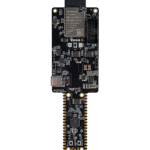
HOW TO SET UP YOUR BOARD An easy guide to perfectly set up your brand new UDOO board Discover Know more about UDOO X86 II DISCOVER Documentation Need some information? Check our DOCS DOCS Shop Grab your next board in the UDOO Shop BUY Projects Unleash the versatility of UDOO boards PROJECTS
HOW TO SET UP YOUR BOARD An easy guide to perfectly set up your brand new UDOO board
Discover Know more about UDOO X86 II DISCOVER
Discover Know more about UDOO X86 II
Documentation Need some information? Check our DOCS DOCS
Documentation Need some information? Check our DOCS
Shop Grab your next board in the UDOO Shop BUY
Shop Grab your next board in the UDOO Shop
Projects Unleash the versatility of UDOO boards PROJECTS
Projects Unleash the versatility of UDOO boards
CHAPTER ONE BASIC SETUP This first chapter will guide you through the unboxing and assembling of your brand-new UDOO X86 II. BASIC SETUP CHAPTER TWO ADVANCED SETUP his chapter allows you to learn more about all the other peripherals and accessories you can plug into the UDOO X86 II. ADVANCED SETUP CHAPTER THREE CREATE A BOOTABLE FLASH DRIVE With this step we’re going to learn how to install the OS on your brand-new UDOO X86 II. CHAPTER THREE Let's install Windows on your UDOO X86 II This is how to install Windows on your X86 II. Choose the right video tutorial based on which PC you will use to create the bootable flash drive. CREATE A BOOTABLE FLASH DRIVE A Window PC A MAC PC A Linux PC A Window PC A MAC PC A Linux PC CHAPTER THREE Let's install Ubuntu on your UDOO X86 II This is how to install Ubuntu on your X86 II. Choose the right video tutorial based on which PC you will use to create the bootable flash drive. CREATE A BOOTABLE FLASH DRIVE CHAPTER FOUR INSTALLING THE OPERATING SYSTEM This final chapter allows you to use the bootable flash drives prepared in the previous step to install the OS in one of the UDOO X86 II drives. INSTALL THE OS FINAL CHAPTER ACRYLIC CASE With this step we’re going to learn how to mount the awesome Acrylic Case of UDOO X86 II!
CHAPTER ONE BASIC SETUP This first chapter will guide you through the unboxing and assembling of your brand-new UDOO X86 II. BASIC SETUP
CHAPTER ONE BASIC SETUP This first chapter will guide you through the unboxing and assembling of your brand-new UDOO X86 II.
CHAPTER TWO ADVANCED SETUP his chapter allows you to learn more about all the other peripherals and accessories you can plug into the UDOO X86 II. ADVANCED SETUP
CHAPTER TWO ADVANCED SETUP his chapter allows you to learn more about all the other peripherals and accessories you can plug into the UDOO X86 II.
CHAPTER THREE CREATE A BOOTABLE FLASH DRIVE With this step we’re going to learn how to install the OS on your brand-new UDOO X86 II.
CHAPTER THREE Let's install Windows on your UDOO X86 II This is how to install Windows on your X86 II. Choose the right video tutorial based on which PC you will use to create the bootable flash drive. CREATE A BOOTABLE FLASH DRIVE
CHAPTER THREE Let's install Windows on your UDOO X86 II This is how to install Windows on your X86 II. Choose the right video tutorial based on which PC you will use to create the bootable flash drive.
A Window PC A MAC PC A Linux PC
CHAPTER THREE Let's install Ubuntu on your UDOO X86 II This is how to install Ubuntu on your X86 II. Choose the right video tutorial based on which PC you will use to create the bootable flash drive. CREATE A BOOTABLE FLASH DRIVE
CHAPTER THREE Let's install Ubuntu on your UDOO X86 II This is how to install Ubuntu on your X86 II. Choose the right video tutorial based on which PC you will use to create the bootable flash drive.
CHAPTER FOUR INSTALLING THE OPERATING SYSTEM This final chapter allows you to use the bootable flash drives prepared in the previous step to install the OS in one of the UDOO X86 II drives. INSTALL THE OS
CHAPTER FOUR INSTALLING THE OPERATING SYSTEM This final chapter allows you to use the bootable flash drives prepared in the previous step to install the OS in one of the UDOO X86 II drives.
FINAL CHAPTER ACRYLIC CASE With this step we’re going to learn how to mount the awesome Acrylic Case of UDOO X86 II!
CHAPTER ONE BASIC SETUP This first chapter will guide you through the unboxing and assembling of your brand-new UDOO X86 II. BASIC SETUP CHAPTER TWO ADVANCED SETUP his chapter allows you to learn more about all the other peripherals and accessories you can plug into the UDOO X86 II. ADVANCED SETUP CHAPTER THREE CREATE A BOOTABLE FLASH DRIVE With this step we’re going to learn how to install the OS on your brand-new UDOO X86 II. CHAPTER THREE Let's install Windows on your UDOO X86 II This is how to install Windows on your X86 II. Choose the right video tutorial based on which PC you will use to create the bootable flash drive. CREATE A BOOTABLE FLASH DRIVE A Window PC A MAC PC A Linux PC CHAPTER THREE Let's install Ubuntu on your UDOO X86 II This is how to install Ubuntu on your X86 II. Choose the right video tutorial based on which PC you will use to create the bootable flash drive. CREATE A BOOTABLE FLASH DRIVE A Window PC A MAC PC A Linux PC CHAPTER FOUR INSTALLING THE OPERATING SYSTEM This final chapter allows you to use the bootable flash drives prepared in the previous step to install the OS in one of the UDOO X86 II drives. INSTALL THE OS FINAL CHAPTER ACRYLIC CASE With this step we’re going to learn how to mount the awesome Acrylic Case of UDOO X86 II!
NEED MORE HELP? TICKETING FORUM