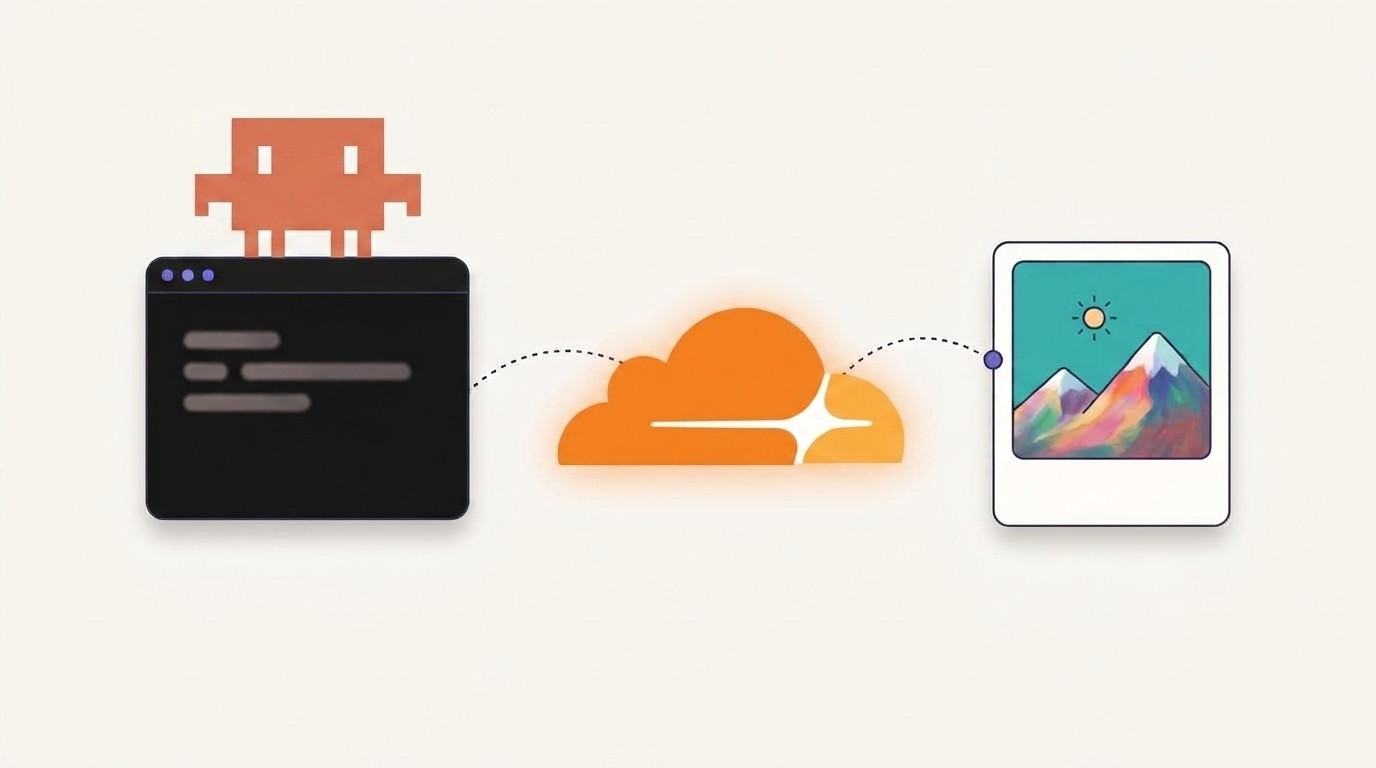
I taught Claude Code to generate AI images through Cloudflare Workers AI (the flux-1-schnell model). I describe the picture in plain English, Claude writes the detailed Flux prompt, runs one small script, and the JPG lands in my project folder. The free tier covers about 170 images a day, and it resets every day, forever. Setup is two credentials and about ten minutes.
Every image in this guide came out of my terminal while I was writing it. My total bill: $0.
The engine is Cloudflare Workers AI , which gives every account a free daily allowance. The brain is a tiny Claude Code skill that does the prompt engineering for you. No subscription, no GPU in my machine, no trial countdown.
One honest note before we start, because "unlimited" is doing some work in that title. There is a daily cap. But it resets every day, with no end date, and at default settings you'd need to generate an image every 8 minutes, around the clock, to hit it. For a solo builder, that's unlimited.
Connecting Claude Code to an outside API with a skill is also one of the most useful patterns you can learn right now. It's the same move I use across my own products, and the one I teach start to finish in Build With AI 1.0 .
The whole pipeline is this:
Three pieces make it work:
Why would Cloudflare give this away? Because the free allocation is worth about 11 cents a day at their paid rates, and it pulls developers onto their platform. Their marketing budget, your image pipeline. I did the exact math below .
You need two values: your Account ID and an API token that's allowed to run Workers AI. Both come from one screen, and a free account is enough:
Prefer to build the token by hand? Go to My Profile → API Tokens → Create Token and give it the Workers AI: Read and Workers AI: Edit permissions. Same result.
⚠ Treat the token like a password. It can spend your Cloudflare account's AI allowance. It goes in a .env file that stays out of git (the repo below ships a .gitignore that handles it). If a token ever lands in a commit, revoke it in the dashboard and make a new one. Deleting the commit is not enough; git history remembers.
A Claude Code skill is just a folder with a SKILL.md file in it. Think of it as a sticky note on Claude's monitor: "when the user asks for an image, here's how you do it." The cf-image skill folder holds that note plus the script it points to:
The script's core is one HTTP request. This is the whole trick, no framework, no SDK:
To set it up, grab the ready-made skill folder from the free toolkit below (or hand-build it from this page, it's small on purpose), drop it into your project, and install the two dependencies:
Then copy the env template and paste in the two values from Step 1:
Your .env ends up with exactly two lines:
That's the setup. Done.
🧭 New to Claude Code? Skills are the feature that turns it from a code assistant into a worker you can hand your own playbooks to. If you want to go from "I installed it" to shipping a real product with it, Build With AI 1.0 is the zero-to-shipped path.
Open Claude Code in the project and ask for a picture the way you'd ask a person:
Here's what happens. Claude matches your request against the skill's description, reads the sticky note, and does the one job the raw API can't do for you: it expands your six words into a real Flux prompt. Subject, style, framing, lighting, mood. This is the prompt it actually sent when I ran exactly that request:
Then it runs the script. Real terminal, real output:
And this is the image that came back, a few seconds later, for zero dollars:
The same prompt engineering is what turns vague business asks into usable assets. Ask for "a logo for a coffee shop" and Claude sends something like:
After every run, Claude tells you the filename and the exact prompt it used. Want a variation? Say what to change and it re-runs with a tweaked prompt and a new filename. That loop, describe, look, adjust, is the entire workflow.
Cloudflare bills AI work in Neurons . Think of a prepaid electricity meter that refills to 10,000 units every day. Every image draws a little power. The meter never sends you a bill; when it's empty, the lights go off until tomorrow's refill.
Here are the live numbers from Cloudflare's pricing page , verified the day I published this:
I checked the output size against a live run: the script's images come back at 1024×1024, which is four 512×512 tiles. So the default image costs 4 × 9.6 + 4 × 4.8 = 57.6 Neurons, and 10,000 ÷ 57.6 ≈ 173 images.
What happens when the meter runs out? On the free plan, the API starts returning errors until the daily reset. Nothing upgrades itself, nothing charges you. Pricing drifts, though. If you're reading this long after July 2026, check the pricing page before you plan around the numbers.
Want the ready-made skill?
The full cf-image skill, plus every other image skill I've built for Claude Code, is one open repo. Clone it and drop the skills into .claude/skills/ .
The skill handles this for you, but knowing the rules makes you better at directing it:
Or skip the checklist entirely and let Claude apply it. That's the point of the skill: the rules live in SKILL.md once, and every future request gets them for free. Teaching your tools your standards once, instead of retyping them forever, is a core move I keep coming back to in Build With AI 1.0 .
Everything in this guide comes from my claude-image-generation toolkit, and I'm giving away the whole thing, not just this one skill. One opt-in gets you:
The Claude Code image-generation toolkit
Every skill above, ready to drop into .claude/skills/ . Describe an image in the chat, get the file on disk. It is one open repo, so clone it and go.
Open the repo on GitHub →
I'm publishing separate guides for the other pieces, and both are live now: how I make Claude Code draw real graphics with no AI model at all , pure code, perfect text, and the advanced payoff, keeping one character consistent across a whole illustrated, narrated story .
Really free. Cloudflare's Workers AI free allocation gives every account 10,000 Neurons per day at no charge , and it resets daily with no end date. There is no trial clock. At Cloudflare's paid rate the whole daily allowance is worth about 11 cents, which is why they can afford to give it away. If you use up the allowance on the free plan, requests return an error until the next reset; nothing gets charged behind your back.
About 170 at the default settings. A default flux-1-schnell image is 1024×1024 at 4 diffusion steps, which costs 57.6 Neurons: 4 steps at 9.6 Neurons each plus four 512×512 tiles at 4.8 Neurons each. Divide the daily 10,000 Neuron allowance by 57.6 and you get roughly 173 images. If you raise the steps to 8, it drops to about 104 a day. Full math above .
The model, FLUX.1 schnell by Black Forest Labs, is released under the Apache 2.0 license, which puts no restriction on what you do with generated outputs. So blog heroes, thumbnails, and product mockups are fine. The usual common-sense limits still apply: don't generate someone's trademark or a real person's likeness and expect a license to save you.
No. Despite the name, Workers AI is reachable as a plain REST API. The script sends one HTTPS request with your token and gets the image back as base64. There is nothing to deploy, host, or keep running.
Very good for scenes, concepts, thumbnails, and stylized art, which covers most of what a builder needs day to day. Schnell is the fast, distilled member of the FLUX.1 family, so it gives up some fine detail and it cannot render legible text. Premium models also beat it when you need the same character to stay consistent across many images; that needs reference-image support, which is a different workflow I cover separately.
Yes. generate.py is a normal command-line script: pass it a prompt and an output filename and it saves the image. Claude Code adds the layer that makes it pleasant, turning a six-word idea into a detailed, well-structured Flux prompt before calling the script.
This guide gave you one pattern: teach Claude Code a skill, point it at an outside API, get a capability for free. A real product is that pattern applied twenty times, wrapped in a codebase, auth, payments, and users.
That's what I cover in Build With AI 1.0 . The full course is 38 lessons that walk through:
Want the full system?
Go spend today's 170 free images.
Hasan Aboul Hasan builds open-source tools and teaches solo developers how to build, host, and sell AI-powered products. Founder of LearnWithHasan.com , creator of SimplerLLM and PyRunner .
The exact building blocks I use to ship real products with AI — yours as a free PDF.
Have a question? Ask it in the community — it's tagged #guide and linked back here. Reading is open to everyone; posting needs a free account.