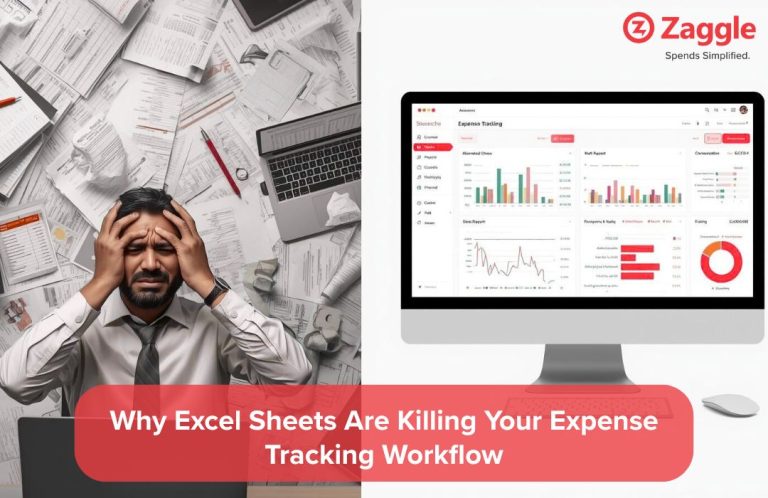
Meenal Shah runs a growing chain of retail stores in Surat. Until recently, she tracked all employee expenses through a shared Excel sheet. Keeping track of all the store purchases, petty cash, and vendor reimbursements seemed efficient at first. But as she added more stores and hired new team members, small errors turned into recurring problems. Her finance team struggled to reconcile expenses. Store managers missed submission dates. And some claims were paid twice without anyone noticing. What started as a quick-fix solution was now slowing down her business.
If you’ve been relying on Excel for your team’s expenses, it may be time to reconsider. A manual system works only until it doesn’t.
And that’s exactly where smarter tools like a structured expense management software , a real-time expense management system , or an automated expense tracking software come in.
The biggest weakness of Excel is that it trusts the user completely. If someone enters the wrong number or forgets a decimal, the system won’t warn you. Some common issues include:
Typing everything into Excel leaves a lot of room for mistakes. In fact, a study found that 94% of business spreadsheets have errors, mostly because there’s no system check in place. A simple copy-paste or extra zero can lead to overpayments, and these slip-ups often go unnoticed until it’s too late.
Without data validation or guardrails, mistakes pile up quickly, and cost you more than just time.
Leave behind the spreadsheets.
Smarter expenses made easy: real-time, automated, and accurate
Most companies have specific rules around reimbursements. Daily meal caps, fuel limits, deadlines for submission are often documented in policy files. But Excel doesn’t apply those rules automatically. This leads to:
When your expense process depends on people remembering the rules, things will slip through the cracks. Excel doesn’t remind anyone of daily limits, block out-of-policy claims, or stop late submissions. But with automated checks in place, you don’t have to rely on memory or micromanage each claim. The system does it for you, fairly and consistently.
Excel is not a live platform. You can only see what was updated last and not what’s happening in real time. Here’s why that’s a problem:
With teams spread across different locations, it becomes harder to track spending as it happens. Take Meenal, for example. Managing multiple retail stores meant she couldn’t always tell which branch was overspending on petty cash until the month-end reports came in. And this challenge is a common one for any growing business with distributed teams.
When multiple people work on a single Excel sheet, things fall apart quickly. Version control becomes a problem. File permissions are inconsistent. And mistakes are often overwritten rather than tracked. These issues include:
When multiple people are working on the same Excel file, version issues are bound to happen. One person updates an older copy, another edits the latest, and before you know it, data is lost or overwritten. This kind of confusion is common in growing teams.
Simplify your expense process with Zaggle EMS.
Zaggle EMS automates policy checks and syncs accounting effortlessly.
See it in action. Book a Demo.
The more your team or business grows, the harder it becomes to manage everything on spreadsheets. Signs you've outgrown Excel include:
Excel might work when you're handling a small volume of expenses. But as the number of claims, team members, or locations grows, it quickly becomes inefficient. For instance, if Meenal had only one store to manage, Excel would have been enough. But with multiple stores to take care of, the system struggled to keep up. This is something many growing teams experience.
Most teams using Excel rely on manual claims. Employees fill out a sheet, attach receipts, send it to HR or finance, and then wait for a response. This causes:
In a retail business where expenses move fast, a lack of documentation can easily lead to audit penalties or reimbursement disputes. Many teams find themselves searching through email chains, chat messages, and old attachments just to verify a single claim. Some problems include:
For a growing retail chain like Meenal’s, audit misses can spell doom for the entire business. For Meenal, an easy fix would be to try and streamline the expense management process to make business easier.
Zaggle EMS is designed to handle exactly the challenges Meenal faced. From capturing receipts to setting approval workflows, it automates every part of the expense process. With Zaggle EMS, you can:
It offers an intuitive dashboard, real-time visibility, and deep analytics—all of which help you take quicker, smarter decisions without dealing with Excel chaos.
Need a Smarter Way to Manage Expenses?
Ditch the spreadsheets and save time with Zaggle EMS.
Meenal’s story is one of many. Excel may feel familiar, but it’s no longer fit for modern expense tracking. As your business grows, so do the risks of mismanagement, delayed reporting, and poor visibility.
Zaggle EMS is a powerful, easy-to-use expense management software built for real businesses like yours. Whether you're handling five claims or five hundred, it simplifies your workflows, reduces errors, and gives you the insights Excel never will.
Note: The names and scenarios mentioned are hypothetical and intended for illustrative purposes.
Expert contributor and editor at the Zaggle Knowledge Hub, specializing in corporate spend management, expense compliance, and B2B fintech solutions.
Posted on : Sep 8, 2026
Posted on : Aug 11, 2026
Posted on : Jul 29, 2026