NFPA Requirements Using KYPipe, GoFlow, and Surge
Hydraulic Calculations
KYPipe, GoFlow, and Surge meet the formula requirements for calculations as described in
Analysis scenarios and conditions outlined in these standards may be created within KYPipe and GoFlow.
Surge is limited to basic steady state analysis. Surge specializes in unsteady flow analysis. Therefore KYPipe or GoFlow is required to carry out some specific steady analysis scenarios such as Required Capacity, Remote Location, and ESFR.
NPFA 13 and 15 Reporting with KYPipe and GoFlow
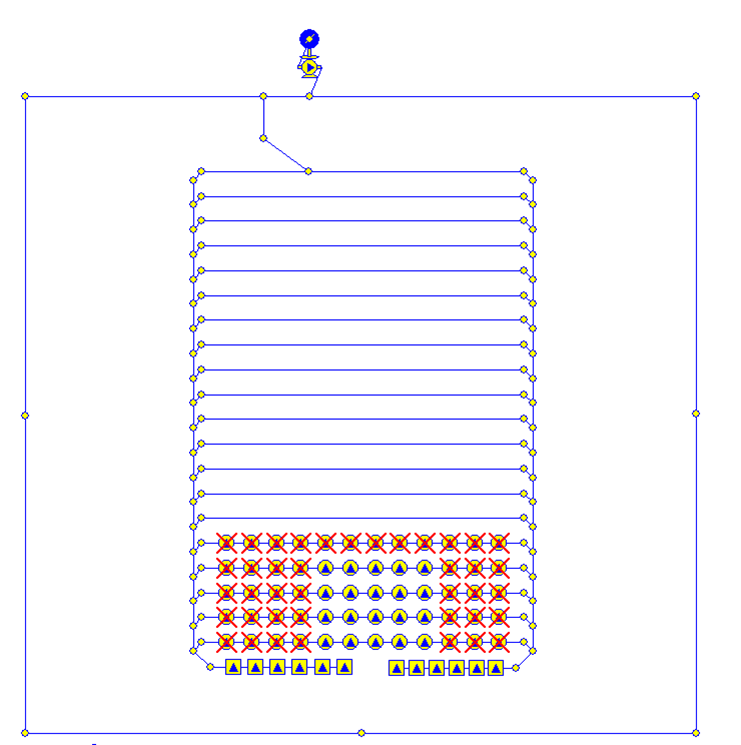
A sprinkler system is developed within KYPipe or GoFlow.
Sprinkler System Layout in KYPipe or GoFlow
Capacity Analysis for Sprinkler System
Required Capacity analysis produces information required for NFPA reporting.
NFPA 13 and 15 Reporting Features
After analysis has been completed, open Summary/Supply Plot feature.
Both program interfaces are shown.
Create a Summary Report and Supply Plot
Summary Sheet Requirements
How Data for Summary Sheet is Input
Summary Sheet for NFPA 13 Items
Summary Sheet for NFPA 15 Items
Other Options for Input of Summary Sheet Items (Surge)
While some of the information will be provided by the consultant, many of these worksheets can be easily produced within the standard presentation capabilities of KYPipe and GoFlow.
NFPA Style Graph Sheet: Supply Plot
NFPA Computer Generated Hydraulic Report Requirements
GoFlow Report Table Contains NFPA Supply and Node Analysis Sheet Data
GoFlow Report Contains Data from NFPA Detailed Work Sheet
GoFlow Report Sections
GoFlow Report Sections Continued