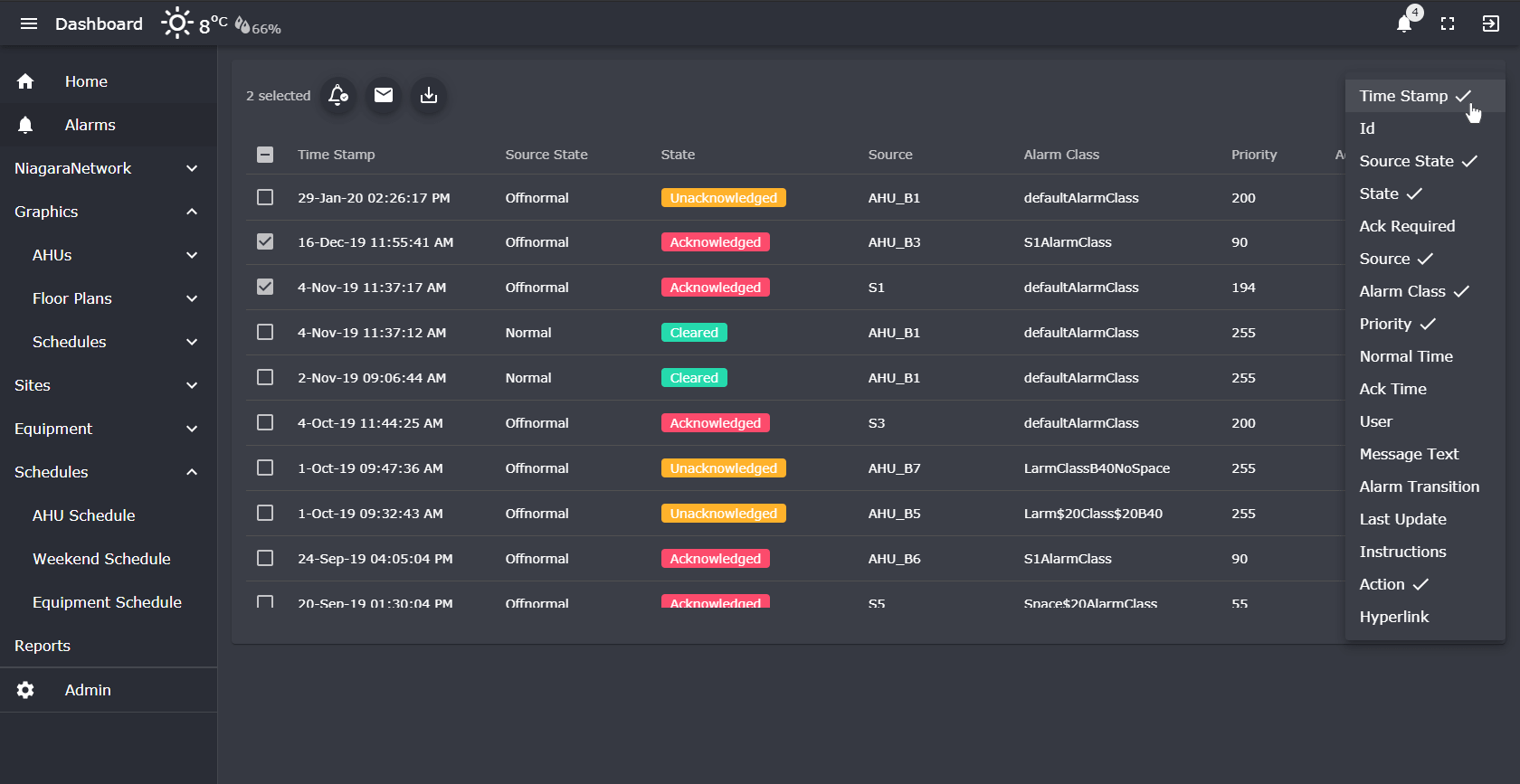
The Niagara Alarm View Template shows the current alarms in the station in a responsive table which updates in real-time. The station operator can quickly acknowledge alarms in a user-friendly interface. The alarm table can also be shown in your own language. Notify engineers via emailing alarms or downloading selected alarms as CSV. Filter our unwanted alarms and show/hide columns as required. This template is FREE when bought with the Energy Consumption View template . Also check out our Advanced Alarm Table Widget.
Are you looking for a cost effective way to show alarms to multiple stakeholders? Why not have a look at View Builder .
Our alarm console has all the features of the native console, but we've added extra functionality. Change columns, ack alarms, email engineers, view history, grouping, filtering, row highlighting, linking, and setting propeties.
Download alarms as CSV or email selected alarms to a engineers using the stations email service.
Change the alarm settings by filtering out unwanted alarms and showing them on the table.
Subscribe to different alarm classes to get an on-screen dialog pop-up when new alarms arrive.
Show a track record of alarm source history.
View your alarms by status by using the split alarms function.
back to more dashboards...
Build Your Own dashboards and win Projects by showing data that increase value and reduces expenditure.
Home About Us Current Projects Affiliations Privacy Policy ECommerce Policy
View Builder IOT ™© Mobile Solutions N4 View Builder ™© Niagara PX Graphics
Software Development Consultancy Project Management Graphic Design Knowledge
T: +44 (0)800 511 8446 (UK) +1 888 207 4061 (US)
Copyright © 2025 Works Software & Engineering Ltd. All rights reserved.