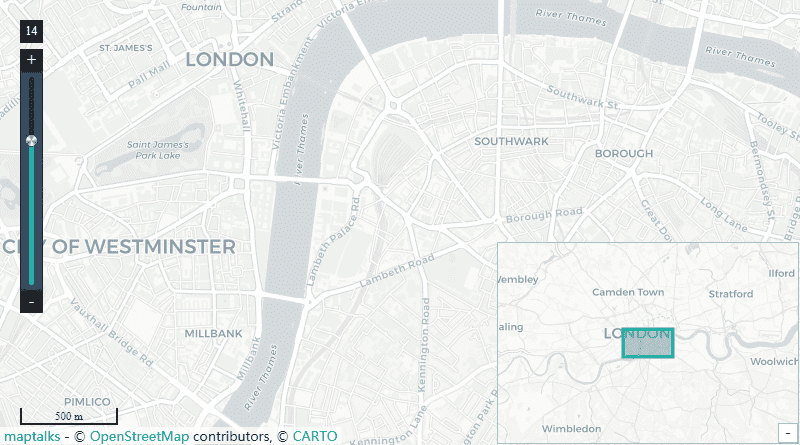
The Open Street Maps widget uses the OpenStreetMap API and displays a street map of the world and you can add markers via a simple JSON config. It was created by people like you and free to use under an open license. It also uses the powerful Maptalks mapping engine to integrate 2D/3D maps together by pitching and rotating 2D maps. Get one more dimension for mapping, visualizing and analyzing, with simplicity of 2D maps. Performance is always a priority. With Maptalks and plugins, you can smoothly render 10ks geometries with Canvas 2D and 1000ks with WebGL. *You need an internet connection to view the maps, however if you are on a restricted network, its recommended you set up an outbound firewall rule to the mapping server: http://d.basemaps.cartocdn.com The widget has a number of configurable properties that can be used to modify look, feel, and functionality. Before you start, copy the openStreetMaps-ux.jar file to your modules directory. Restart the station and Workbench.
Are you looking for a cost effective way to manage and visualize data for all your customers? Why not have a look at View Builder ?
Before you start. Download the modules from our portal (see your order confirmation, which also explains licensing). Copy the modules file to your modules directory. Restart BOTH station and Workbench.
1. Copy the openStreetMaps-ux.jar file to your modules directory. 2. Open the module from your palette file. 3. Drag and drop the widget from the palette onto your px view. Note: in 4.10 you will need to modify the Web Service settings in the station to allow maps to show up See Here frame-src * img-src 'self' workbench data: https://a.basemaps.cartocdn.com/ https://b.basemaps.cartocdn.com/ https://c.basemaps.cartocdn.com/ https://d.basemaps.cartocdn.com/ https://www.wse-ltd.com https://cdn.jsdelivr.net style-src 'self' workbench 'unsafe-inline' https://fonts.googleapis.com https://cdn.jsdelivr.net script-src 'self' workbench 'unsafe-inline' 'unsafe-eval' https://fonts.googleapis.com https://cdn.jsdelivr.net
The widget has a number of configurable properties that can be used to modify look, feel, and functionality. Change the properties as required:
A JSON config for map markers. See below for setup. You can point the menu to a file that exists on the station. Valid values are ords e.g.: file:^openMapsFolder/config.txt If you do not specify a file reference, only a map will be displayed.
The map will display at this location when initialised.
The viewing angle of the map.
Overview Control, Scale Control, Zoom Control
Shows/hides the controls on the map. Set to true or false.
The default zoom level. Default is 14.
Set these values to manually set the height/width of the map frame.
Recently the open maps have added a free api key which you can sign up for at https://carto.com/basemaps/apikey/
On the widget property sheet add the API key parameter to the baseMapsUrl property: http://{s}.basemaps.cartocdn.com/rastertiles/voyager_labels_under/{z}/{x}/{y}.png?key=YOURKEY
Note: in 4.10 you will need to modify the Web Service settings in the station to allow maps to show up See Here
The marker config is in JSON format. You can customise as needed. Special characters should be avoided. Advanced users can enter html content in the label and tooltipText properties.
If no link is specified, the marker, label, and tooltip will be shown. For links to navigate correctly in Workbench, and if you're running 4.3 or above, there should be a "toggle preview" button at the end of the toolbar when looking at a Px graphic. This will show you your Px page rendered in a browser and the links will work correctly
JSON Editing To help build your menu configuration use an online JSON editor like: https://jsoneditoronline.org/
back to more widgets...
Build Your Own dashboards and win Projects by showing data that increase value and reduces expenditure.
Home About Us Current Projects Affiliations Privacy Policy ECommerce Policy
View Builder IOT ™© Mobile Solutions N4 View Builder ™© Niagara PX Graphics
Software Development Consultancy Project Management Graphic Design Knowledge
T: +44 (0)800 511 8446 (UK) +1 888 207 4061 (US)
Copyright © 2026 Works Software & Engineering Ltd. All rights reserved.