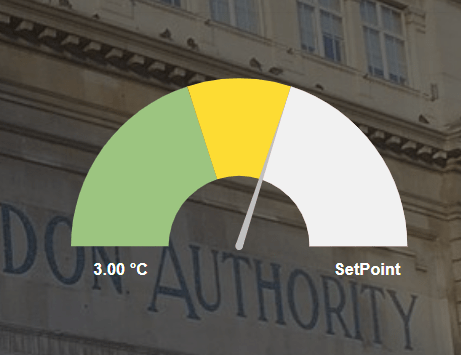
The PX Style Overrider basically overrides any style already on the px page. This is helpful say if you wan to have transparent widgets on screen. Before you start, copy the .jar file to your modules directory. Restart the station and Workbench.
Are you looking for a cost effective way to manage and visualize data for all your customers? Why not have a look at View Builder ?
Before you start. Download the modules from our portal (see your order confirmation, which also explains licensing). Copy the modules file to your modules directory. Restart BOTH station and Workbench.
1. Copy the pxStyleOverrider-ux.jar file to your modules directory. 2. Open the module from your palette file. 3. Drag and drop the widget from the palette onto your px view.
Size of the transparent box on screen. Can be in pixels or percentage. E.g. 1px or 1%.
Can be transparent or a color choosen from the color palette.
This is where you can enter css styling of your choice. You must remove line breaks from the value. For example you could enter the following to create a transparent background when using an hx profile.
To find styles you want, in Chrome use Dev tools to asssit you.
back to more widgets...
Build Your Own dashboards and win Projects by showing data that increase value and reduces expenditure.
Home About Us Current Projects Affiliations Privacy Policy ECommerce Policy
View Builder IOT ™© Mobile Solutions N4 View Builder ™© Niagara PX Graphics
Software Development Consultancy Project Management Graphic Design Knowledge
T: +44 (0)800 511 8446 (UK) +1 888 207 4061 (US)
Copyright © 2025 Works Software & Engineering Ltd. All rights reserved.