We have some thoughts and ideas that you should read.
Stream Videos and Music Directly to Your Blog or Business Site
Many people might not know that you can embed music or video files directly to your blog or website. In this blog post I will walk you through how to do it.
One of the advantages of using OpenDrive compared to other cloud storage services is that with the personal or business plan, you get unlimited storage. This means you can store all of your favorite movies, music, videos, or, ahem, music videos and share them with the world – and our goal is to make that as easy as possible.
In any case, let’s get into embedding a music file. Supported formats are .mp3 and .m4a
First, log into the OpenDrive website and access the music file.
Click on the share icon, pointed out in the screenshot above.
Next a pop-up will show up, as seen here:
File link (URL): This link can be used to publicly access the file directly for download or streaming on the OpenDrive website
Direct link: (streaming): This link can be used to stream a file directly within a browser window or within a 3 rd party media player. Many of our users use this link if they want to tweet about the music file without playing it from their blog or website.
Direct link: (download): This link provides instant download access to the file.
HTML Embed: This link provides the HTML code you can use to embed your file, using our media player
Note: In order to use the links, the file must be either hidden or public.
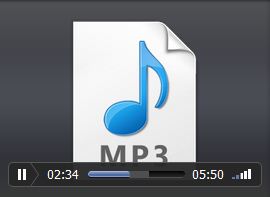
Once you paste the HTML code, here is the final result:
The process for embedding videos is exactly the same. Supported formats are MP4 (AAC/H.264), FLV, M4V, MPG and MPEG
Click here to read our KB article on this.