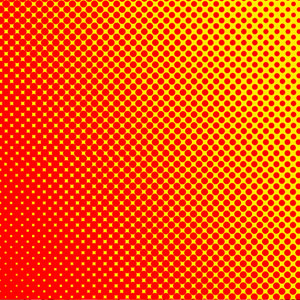
In this short Photoshop tutorial I will show you how to make a halftone gradient in just one minute. Halftone gradients are very useful especially for creating custom comic books or cartoon comic book effects. You will learn not only to create a halftone gradient, but also how to angle the halftone pattern and how to create a color halftone gradient pattern.
To make comic book effects you can either create your own halftone texture/dots texture or, you can download one of these pre-made halftone textures from PhotoshopSupply.
Here is a quick way to produce a neat halftone effect in Photoshop that can be used to give your compositions a little more complexity. We will create a halftone gradient texture like this:
Start off by creating a new document with the dimensions of halftone texture that you need.
Create a new layer and fill it with any color. Then double click on the layer and check Gradient Overlay choosing a black to white gradient . At this point you can change the angle for the gradient to the angle you need for the halftone gradient texture.
Select the entire gradient layer and goto Filter > Pixelate > Color Halftone… and fill it in with the settings below.
Add an Gradient Map adjustment layer and set a red to yellow gradient (#ff0000 to #ffea00). You should get a cool looking halftone gradient texture like this:
And there you have it – a quick and easy halftone effect that you can use to make neat backgrounds!
Create a color halftone texture with a rosette pattern. The rosette pattern is a moiré pattern typically formed by cyan, magenta and black halftone patterns.
To create a rosette pattern in Photoshop, use the CMYK halftone technique. Here are the steps:
You can use these dotted patterns to create a dotted photo effect in Photoshop. Or, you can use the free Image to Dots online tool from PhotoshopSupply.
In Photoshop you can make a dot gradient with custom size and colors. If you need a comic gradient with a certain look, make it yourself. Using this technique I've made a comic book gradient for one of my previous tutorials.
The halftone gradient Photoshop is easy to follow even by beginners. To make the color halftone Photoshop tutorial even more user friendly, I have added a quick video.
If you want to learn how to create halftone effect in Photoshop , check out my previous tutorial.
In this video tutorial I will explain step by step how to create the halftone effect in Photoshop.
If you don't have Photoshop, MockoFun is a free an easy to use Photoshop alternative. The MockoFun halftone generator allows you to create this awesome effect online.
Pixel Photo Effect in Photoshop with Mosaic Filter