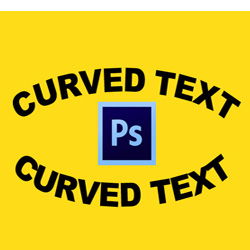
Learn how to curve text in Photoshop from this tutorial for beginners. In this Photoshop lesson you will learn useful tips to make curve text in Photoshop. You will be able to make Photoshop curved text , Photoshop circle text and also Photoshop warp text.
Watch the video tutorial and learn how to curve text in Photoshop. The tutorial includes also a free action to make circular text with 1-click!
There are at least two methods that you can use to curve text in Photoshop . The first method is to use Paths . And, the second method is to use the Warp Tool which is one of the Photoshop's Transform Tools .
What is a path in Photoshop? A Photoshop path is a non-printable line that can be straight or curved, open or closed.
To make text on a path in Photoshop use the Pen Tool , the Ellipse Tool , the Rectangle Tool , the Custom Shape Tool , etc. What is important is to choose Paths from the top menu and not Shape .
So here are the steps that you have to make to type on a path in Photoshop :
To make curved text under drag the points inside the path.
How to move text on a path in Photoshop? Use the Path Selection Tool to move the text along the path, up and down.
Another method used to curve text in Photoshop is the bend text Photoshop option. Go to Edit > Transform > Warp and choose Arch from the drop-down list. In this way you can make an arched text in Photoshop .
Play with the bend text Photoshop settings to make different curved text effects.
For making curved text under set the Bend text Photoshop setting to -45 for example.
If you want to bend text without distorting use the Arch option instead of Arched option. Go to Edit > Transform > Warp and choose Arc from the drop-down list. In this way you can make an arched text in Photoshop without distorting.
So to warp text in Photoshop you can use one of the Warp transform options available: Arc, Arc Lower, Arc Upper, Arch, Bulge, Flag, Wave, etc.
The warp transformation also works great if you want to curve image in Photoshop.
To create custom warp text in Photoshop, you have to first convert the text to a smart object. Set a high text size before converting the text into a smart object otherwise the warp text effect will look blurry.
These are some methods that you can use to curve font in Photoshop.
To make a circle text in Photoshop, you basicaly use a circle shape instead of an ellipse shape. For fast results use this circle text Photoshop action from PhotoshopSupply.
The text curving is a distort text effect just like the warp text effect. But, there are other distort text effects that you can use. Check out this cool distort text Photoshop action to make distorted text.
So, if you don't have Photoshop, you can use MockoFun curved text generator for free. MockoFun is an online text editor with fonts and text effects. You can create really awesome text effects, including arch text, wavy text, spiral text, etc.
The Canva curved text is quite easy to make. Add you text then click on Effects and choose Curve . Adjust the curve settings to make an arch up or down.
Learn how to curve text in Canva from this tutorial for beginners.
Or, if you prefer, I've also done a quick video showing you how to curve text in Canva .
Now you know how to make curved text in Photoshop as well as circle text in Photoshop. The curved text is useful for making round labels, round logos, stickers, rubber stamps, etc.
For example, how to make a round label in Photoshop? It's easy: use circle shapes and curved text.
The curve text is really useful for making ruber stamps for example. So, if you want to create a rubber stamp in Photoshop , download this Rubber Stamp Photoshop Action from GraphicRiver. You can also check our this stamp logo editable online with MockoFun.
Curving text in Photoshop is for people that have a PS monthly subscription; so it's not free. So, I prefer dedicated online tools. If you are interested on how to curve text in other apps, check out our tuts on how to curve text in Google Slides and how to curve text in PowerPoint which are both quite useful especially for non-designers.
How to Curve Text in PowerPoint