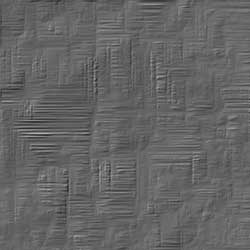
In this short tutorial I will show you how you can make mud textures using just a couple of Photoshop filters. Using this technique, you will be able to create different wet mud texture every time.
If you are looking for photos of mud, ground or dirt road textures you should check out these awesome textures
This tutorial was rescued from tutorialwiz.com, a website that no longer exists.
In this tutorial, we'll be creating a texture that looks like a mud wall.
Start a new document anysize you want (im using 500x200) and fill the background with black. Press "D" to reset your foreground and background colors to black and white Now go to Filter » Render » Difference Clouds . Press CTRL+F 3 times to reapply.
Now go to Filter » Sharpen » Unsharp Mask. Amount : 500%. Radius : 4.3. Threshold : 25
Now go to Image » Adjustments » Hue & Saturation. Check the colorize box. set Hue 200. Saturation : 46. Lightness : 0
Go to Filter » Stylize » Wind. and use Method : Wind. Direction : From the Right. This will add some streaks from right to left. We will use these streaks to build up the cracks in the mud texture.
Then Filter » Stylize » Wind. Method : Wind. Direction : From the Left . This will extend the streaks from horizontally to increase the cracks effect on the mud texture.
We will just repeat the same steps for creating the mud texture cracks, but this time on the vertical. The most convenient way is to simply rotate the whole texture and redo the same steps as above.
Go to Image » Rotate Canvas » 90CCW . Then Filter » Stylize » Wind. Method : Wind. Direction : From the Left
Then Filter » Stylize » Wind. Method : Wind. Direction : From the Right
Let's rotate our mud texture back to normal: Image » Rotate Canvas » 90CW
To finish up our wet mud texture image simply go to Filter » Stylize » Emboss . Use the following settings: Angle: 135 . Height: 1. Amount: 500%
There you have it, our wet mud texture is complete.
For more awesome tutorials for creating textures please see our Photoshop Texture Tutorials Collection
Dashed Line Photoshop
Photoshop Canvas Texture