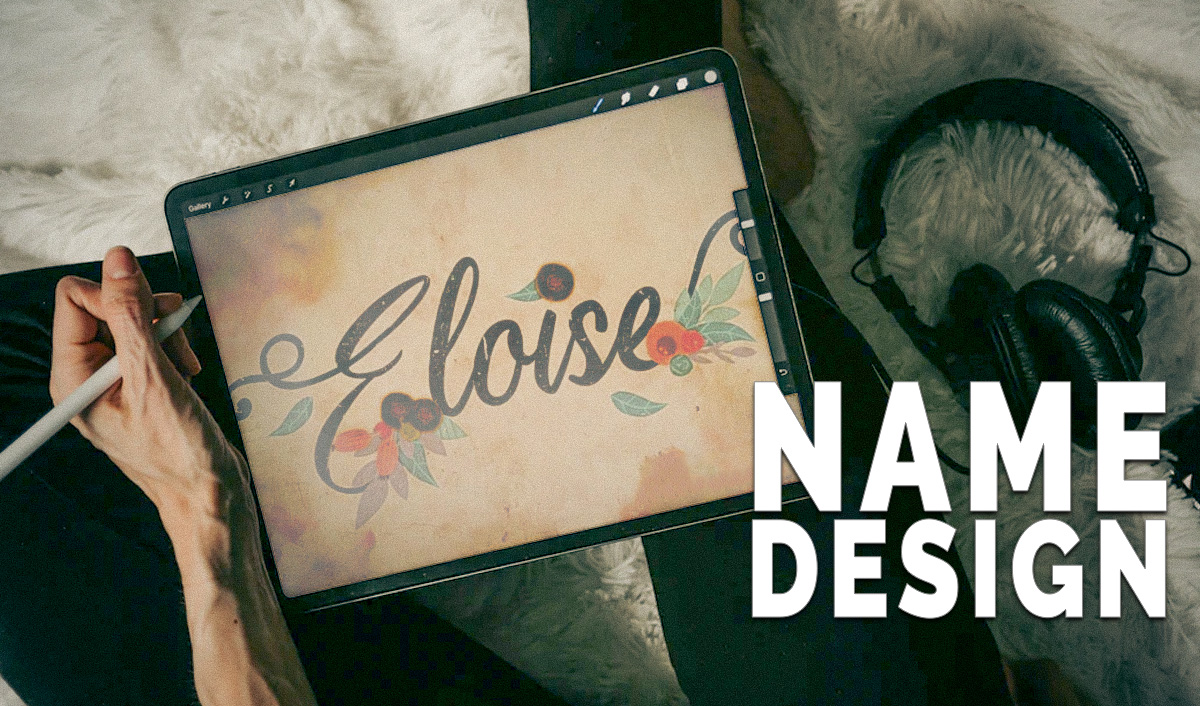
Learn how to create eye-catching free name design art text designs with our step-by-step tutorial. Use MockoFun's easy tools to transform your name into personalized art. Perfect for wall art, stickers, and more!
Combine text, fonts, text tails and ligatures, graphic elements, frames and borders to create amazing name designs for your friends and loved ones. Here are a few examples of name designs that we'll create:
We will cover the following in this name design tutorial:
A name is a word or set of words by which a person or thing is known, addressed, or referred to. Example: “My name is Olivia”. So, a name is a term used for identification. A personal name identifies, not necessarily uniquely, a specific individual human.
Names are not unique, so many people can share the same name. Still, you can display your name in a unique style by using a name design.
See some other cool ideas for inspiration when creating name design images.
These are just few of the text styles that you can use to write your name in a creative way:
I will show you how to create a name design online with MockoFun . You will see how easy it is to make a text design online free.
How to draw name designs? In the MockoFun gallery you will find cool designs to draw your name without drawing skills.
In order to draw name designs online, you have to open the MockoFun graphic design tool and start creating.
To make a name art online, first, open a New document with the size that you need.
Next, go to Text menu and add a single line text.
You can also choose one of the text on path options. The curved text looks really great for name design. But, you can try the other fancy text style like:
If you choose a special text like curved text, the edit text box will appear under the text.
On the top menu you have a drop-down list with fonts. Choose a font that you like from a list of 800 free fonts online .
TIP: Do you want to upload your own font? In order to upload your font online you have to get a 💎 premium user subscription.
There are lots of calligraphy fonts to choose from so it might take you awhile to decide. To pick the best font for your project is not that easy 🙂.
With this free cursive name generator you can write name in cursive easily.
For writing names, I prefer to use cursive fonts or handwritten fonts. The calligraphy name design is one of my favorite text styles.
Unfortunately, NOT all the fonts are fonts with tails . In fact very few free fonts have tails and ligatures.
MockoFun is a great font with tail generator. Create your own swash tail font in minutes.
Pick the font tail that you want. It’s important to use the same color as the font.
You can resize the text tail, rotate and even add a Stroke outline if the text tail is too thin compared to your font.
With MockoFun you can insert text symbols in text. Copy paste a text symbol that you like.
Check out my text symbols collections: arrow symbol , heart symbol ❤ , star symbol ★, or other copy paste text symbols . ◉.
If you want your name design to look really awesome, you can add graphic elements like for example floral vector.
Go to Elements > Shapes and/or Elements > Illustrations and in the Nature category you have lots of flower vector images to choose from.
Use these graphics for kids to create a baby name art. You can create nursery wall art & nursery wall stickers with personalized details like the name of your baby, date of birth, etc.
Nursery wall decals that are usually used for baby room designs are: name signs (made from metal, wood or plastic), wall stickers and posters.
If you want to write name on image , simply Upload your own image or, choose one from the Elements > Photos gallery.
If you want to add a floral frame or a watercolor frame, go to Elements > Frames > Nature or Elements > Effects > Watercolor and choose one from the list.
In the Effects category you have lots of textures. For this name design art I will choose an old paper texture .
To edit the texture image, use Blending Modes and Filters from the top menu. To write names in design is so easy and fun!
To edit name in style more quickly, try the premade text design ideas:
Note that, this is a name picture (name image), so you can NOT copy paste it as text. You have to download the name pictures (JPG, PNG, PDF) and insert them as images.
Use the cool text effects for business name design. The logo name generator is available for free. Plus, the name logo maker includes free premade logos.
After you completed the name editing in different styles, you can do two things:
Now you know how to how to draw names online without any drawing skills. Below you have a list of ways in which you can use your word design art .
Using word art and name style design is a very good way to personalize your space. Use custom artwork to make your room more welcoming.
A beautiful framed name works best with a simple natural wood frame. Or, if you like the minimalist look, try a thin metal frame with black or white color.
Name art images are used not only for prints, also for web. For example, you can use this tool as a WhatsApp dp name creator.
Use the name dp for WhatsApp or for other social media profile picture .
Create stylish images of letter M or any other name initial that you want. You just have to find the photo and the style for the initial letter.
MockoFun is probably the best name designer that you can use online. Make any name art text and use it online or for print.
With a name text editor online you can make cool name designs just like these ones. MockoFun is not an ordinary text name editor online , it‘s probably one of the the best style name editor available online.
Similar to MockoFun are also BeFunky , Fotor, Lunapic and other photo editing tools.
Check out my list of 15+ photo editing tools that you should know.
EDIT ONLINE & DOWNLOAD: Doodle Name
So, if you are looking for name coloring pages , get this name art. We all know that name coloring pages are a great way to relax.
If you are looking for a simple doodle art name that you can edit online, check out this name design template.
It’s text design online really easy to use. Edit the name, change the font and customize all the colors.
If you are looking for name art ideas for kindergarten, this kids name art is just perfect. I know that teachers are always looking for new and interesting name art project ideas.
Also, if you need a personalised baby name wall art , get this design. All the elements are in separate layers so, it’s quite easy to change the font, the colors and so on.
If you don’t really know how to work with this online tool, you can check out this custom name art deal on Etsy.
EDIT ONLINE & DOWNLOAD: Doodle Name Art
This template is useful not only as a name art but also as a word design. Double click on the text and input any word you want like love, smile, etc.
You can print this name image without colors to use it as a coloring name .
Use outline fonts like this one to create bubble name art. All you have to do is to make a font with outline. Set the text color white and the outline color black.
Learn how to make word coloring pages from this quick tutorial for beginners.
There are lots of cool ways to write your name on paper and this is for sure one of my favorite. I absolutely love the drawing part.
In this video tutorial, you see how easy it is to make a coloring name .
There are lots of 🐌 fonts for coloring that you can try. The outline fonts & doodle fonts are the best fonts for coloring .
EDIT ONLINE & DOWNLOAD: Watercolor Name Art
Beautiful watercolor name that you can edit and personalize online. Make your own custom name art in minutes!
If you want your name written in a beautiful way, use a nice watercolor font decorated with watercolor flowers . Looks so romantic and girly!
EDIT ONLINE & DOWNLOAD: Doodle Name Art for Kids
Personalized name art onlin e in doodle style. This is another printable coloring name.
This doodle art is great for kids, especially for boys. You can print this doodle city with color or in black and white as coloring page.
If you are looking for a name art for kids, you can download this name image.
Use the name template maker to edit and personalize the design. Create a name coloring page for your children. They will love it!
Edit the text and add your own name, choose the font that you like the best and download the design.
EDIT ONLINE & DOWNLOAD: Street Sign Maker
You can make your own street sign online. Edit the street sign template and download the image. This is a street sign PNG (street sign clipart), not a physical product.
Try these types of personalised street signs; they‘re perfect for wall decor.
EDIT ONLINE & DOWNLOAD: Name Signature Logo
Create your calligraphy name and choose one of the many handwritten fonts and signature fonts that are available in the online text editor.
With this modern calligraphy generator you are able to create a beautiful handwritten name.
So, if you are looking for a calligraphy name generator, you can try this one.
Signature logos are used for all types of businesses, especially the ones that are related to beauty, design and art in general.
But, you can use a signature logo for an interior design company, for a flower shop, a jewelry business, etc.
EDIT ONLINE & DOWNLOAD: Heart Name
It’s easy to create a heart shaped logo or a heart logo design . But, this design works best for a heart tattoo or even better for a heart name tattoo .
To make a beautiful heart name you can also use this free heart font from PhotoshopSupply.
EDIT ONLINE & DOWNLOAD: Split Monogram
Monogram name that you can edit and personalize online.
You only have to replace the name initial and to write your name. It’s that easy! Print your name monogram design on paper to make a wall poster, on a mug, on a T-shirt or even on a tote bag.
A split letter monogram and art letters in general are very versatile designs. For example, this name monogram design can also be used as company logo.
EDIT ONLINE & DOWNLOAD: Watercolor Name
You can change the text and the font type. All the colors (text, vector graphics and watercolor texture) are also editable.
If you look for cool ways to write your name online, this text effect looks really beautiful on paper and other printing materials.
EDIT ONLINE & DOWNLOAD: Name Label
Kids name label that you can also use as name tag. Make name labels for kids or any other personalized name labels for school.
Choose the color of the label, edit the text, pick a font that you like, add vector graphics, etc. Inside the text you can also use text symbols and text emoji .
EDIT ONLINE & DOWNLOAD: Hello My Name Is Tag
This is a simple name tag design , editable online. Change the text, choose other fonts, edit the color and add your name on the name tag. Try this free name tag generator!
To make a company ID card online is just as easy. Read my tutorial for step by step instructions.
EDIT ONLINE & DOWNLOAD: Graffiti Name
You get a graffiti alphabet that you can use to write your name; the graffiti letters work only inside the MockoFun online text editor.
So, this is a graffiti name generator that you can use online. The graffiti tag name generator from MockoFun is easy to use and customize.
Change the color of the graffiti text and add brick textures if you like the effect. You can eve add graffiti tags from the elements gallery.
EDIT ONLINE & DOWNLOAD: Graffiti Text
This item is similar to the previous item; a graffiti alphabet that you can use to write your name creatively. Important to know that the graffiti letters work only inside the MockoFun online text editor.
Use this online graffiti name generator to change text, colors, font size, splatter effects, etc.
If you want to use a classic graffiti font, you have plenty of free graffiti fonts to choose from.
Edit Online & Download: Arrow Tattoo with Name
With MockoFun you can make a name design tattoo. Below you have some creative ideas for name tattoos.
Create your own custom name tattoo using fancy fonts and vector shapes like arrow, star, crown, etc.
To make name tattoos like these, use text & text symbols like heart, arrow, star, etc. So, try this online name tattoos generator!
Edit Online & Download: Glitter Name (combine fonts & text symbols)
Cute glitter name that is easy to edit online. Change the glitter font, the text and the color. Add also text symbols like star, heart, arrow, crown, etc.
This is a word design free template so, you can download it and use it for free. Turn any font into a sparkling glitter font.
Go to Text > Text Styles menu and there you have a list of over 25 text styles to create your own free name design in minutes.
If you want to make word coloring pages online, check out this quick tutorial for beginners.
EDIT ONLINE & DOWNLOAD: Name Style Design
This name style design looks great as a notebook name. It will also look amazing as a name logo or as a business card name design. I’s your choice how you decide to use it!
EDIT ONLINE & DOWNLOAD: Name Art Image
Create your own free name design art or purchase this name template. You get 2 name designs with floral vector and font tails.
The art letters design below is easy to edit and personalize. Make your own floral letters font with custom details.
The flower letters font is useful for making greeting cards, birthday cards, posters and also to print on different objects like mugs, pillows, tote bags, etc.
EDIT ONLINE & DOWNLOAD: Wreath Logo
First step, edit the text. Than, choose a font that you like. Cursive fonts and handwritten fonts are the best choice for this type of floral logo .
For the final touches, you can change the color of the floral wreath . Plus, you can rearrange the flower elements and even add new ones from the gallery.
EDIT ONLINE & DOWNLOAD: Comic Badge
Use the online badge maker to create pin badges and button badge design.
Then, print these round badges, cut them into round shapes and make button badges.
EDIT ONLINE & DOWNLOAD: Online Stickers
If you wonder how to make name stickers , the answer is pretty simple.
Use one of these Online Stickers or create custom stickers from scratch with MockoFUN . Write your name using a font that you like. Then, add vector graphics, illustrations or even photos.
Download the name sticker design as PNG file or PDF file with transparent background.
Create your own name design. Here are some popular names: Ava name design, Isabella name design, Rachel name design, Nicole name design, Alexa name design, Olivia name design, Michael name design, Maria name design
Next, I want to show you some beautiful personalized jewelry. Custom name jewelry are great as gifts for girls .
DESIGN — 14K Solid Gold Natural Diamond with Swarovski Birthstone | Personalized Name Necklace | Custom Name Plates Necklace
DESIGN — 14K Solid Gold Natural Diamond Initial Letter Personalized | Stacking Ring for Women | Rose, White & Yellow Gold | Letters (A-Z), Sizes (4–8)
DESIGN — 14K Solid Gold | MyNameNecklace Infinity Name Necklace — Eternal Love Jewelry with 2 Names
If you are looking for custom jewelry or name jewelry, check out these items from Amazon marketplace. Custom name jewelry look great!
Draw a Line in Photoshop
Image to Vector in Photoshop