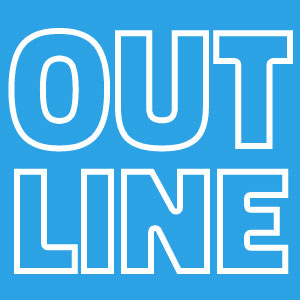
Text Outline Photoshop effect tutorial for beginners. Quick and easy tutorial on how to create outline text in Photoshop. The Photoshop stroke text effect is really easy to make. You can use the outline for text, shapes and images.
Outline Photoshop effect in just a few easy steps. The outline can be applied to any type of layer: text, shape and cut out images. This kind of text effect is great for example if you want to edit text in image or add text over an image.
If you are into webdesign, you can also check out this amazing article about HTML highlight text methods.
Add a text in a new layer.
Double click on the text layer to open the layer style window. To create an outline, add a Stroke layer style. Choose the position of the stroke that you like. You can choose Outside, Inside or Center depending on your font type.
If you want only the outline of the text, you have to set the Fill of the layer to 0%.
When you add a text outline or a stoke you have to adjust the text spacing in Photoshop. Tracking is the spacing between each character. You can find the tracking adjustment menu right below leading on the character palette.
If you convert the text layer into a smart object you can add a second outline. Right click on the layer and Convert to Smart Object . Than add another Stroke layer style.
To outline shape in Photoshop you have to set the Fill to 0% and add a Stroke layer style. Set the size of the stroke and the position.
You can basically do this for any shape. I've made an extensive tutorial on how to make a triangle in Photoshop where I also cover making an outline for a triangle.
If you want to outline an image in Photoshop you have to start with a cutout. So make a selection around the element that you want to cut out. Remove the background.
Again add a Stroke layer style to the cutout layer. Set the size of the stroke and the color that you want. Set the position for the stroke outside .
If you want quick results you can try this free Outline Text Photoshop action from PhotoshopSupply. You can add multiple outlines to text, shapes and images.
Online graphic design tools are really popular among casual users who do not have a Photoshop subscription and want fast results.
To make outline text online, use the outline font generator which is easy to use and free.
If you want to create outline in Photoshop with different effects, you can try these cool Photoshop actions. The pack includes over 20 sticker and label effects.
Chalk Effect Photoshop
Dashed Line Photoshop