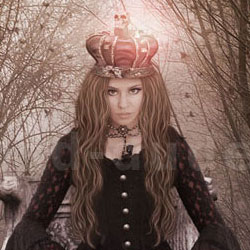
Learn how to create a dark fantasy Photoshop manipulation using some simple cropping and blending techniques. This is a tutorial that can be made also by Photoshop beginners because all the steps are really detailed. If you want to learn even more about manipulation techniques I suggest you to read this tutorial about lighting and shading in Photoshop .
Learn how to create a Gothic collage which combines multiple images together and use adjustment layers , brushes, filters and layer masks. This collage tells the story of the queen, who sword in hand protects the souls of dead. You can check out other horror dark Photoshop tutorials and resources available on our blog.
Here is a list with all the stock images and Photoshop resources that I have used in this tutorial; you will have to download all of them before we begin. Nature , Throne Girl Crown Sword Brush birds Brush leaves Brush eyelashes Skull 1 Skull 2 Skull 3 Ravens 1 Ravens 2 Ravens 3 Pearl Greek columns Hair PSD
Now we will add the skull stock images ; simply place them on the ground and adjust the Hue/Saturation and Brightness/Contrast levels so that it blends with the rest of the image. You will also have to add a shadow for each skull.
Also add the leaves on the broken part of the column. Of the column, which is located on the right, darken to the black brush: open group to that column, create a layer over the layer with column.
The fog produces tender, blur it a Gaussian Blur (the blurring pick your own). Duplicate the layer with the fog and reduce its opacity to 56%. The fog appeared from the bottom of the image, smudge it a Smudge Tool with a small of intensity:
My name is Tatyana Girsh and I live in Russia. At the moment I am working as graphic designer but I also write tutorials and I have a Photoshop related website photoshop-manja.ru that you might want to visit.
Photoshop Gradient Map Tutorial for Beginners
Flower Blossom Typography Photoshop Tutorial