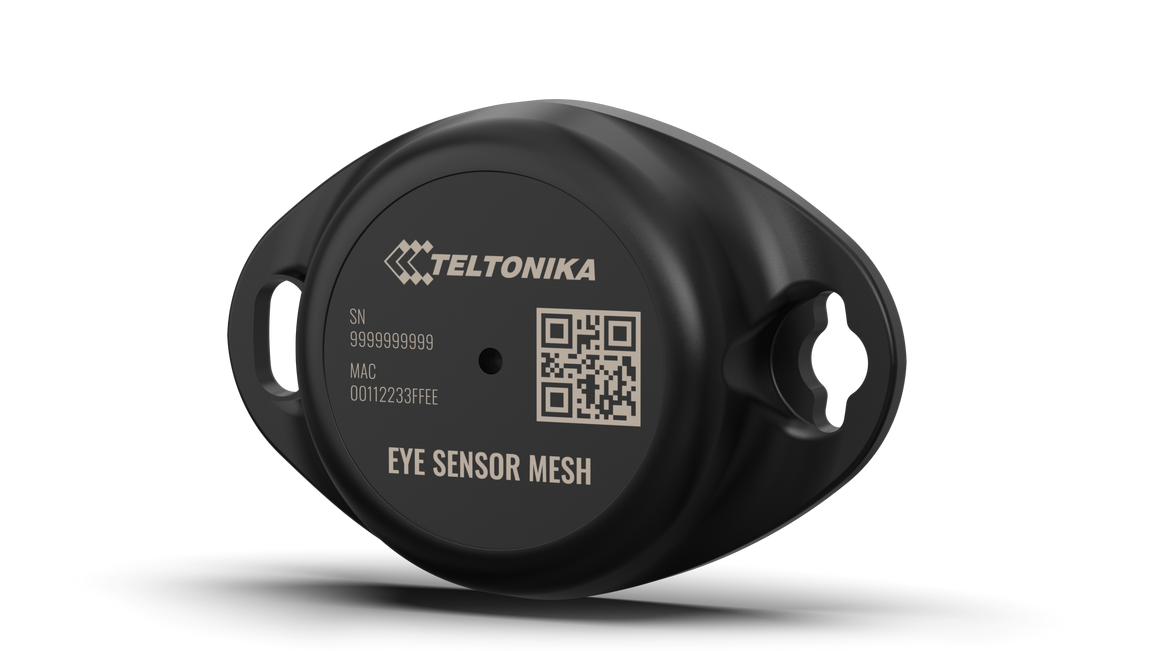
Wireless solutions open up new horizons for your business and help to keep an eye on your assets. Discover our brand-new and certified Mesh sensor model from Teltonika with robust waterproof casing and a long-lifetime battery. The model designed for a low-cost fast and easy configuration and integration to save precious time, resources, and ensure accountability.
Perfect for traceability use cases, delivery tracking, monitoring of various movable objects in logistics (trailers, containers), agriculture (tractor attachments), and constructions (tools and inventory). Also, it suitable for indoor tracking solutions for items tracking in warehouses, hospitals, transport hubs and other types of industrial areas. EYE Sensor Mesh supports iBeacon and Eddystone protocols. Configure, scan, and update anytime within Mesh network.
Product Specification
Scenario where device moves 2 hour per day
*At ambient room temperature
Humidity Movement Magnet detection
Value-adding Features
Hibernated mode means that the EYE device is OFF when shipping from the factory, preserving battery life. PLEASE NOTE that EYE devices are available in two modes: factory-activated (ON - Default) or Hibernated (OFF). You may order the device version which better suits your needs. Order codes are described on eye page
During hibernation, the device consumes very little power. So it is great for storing the device for a long time without battery drain. When the device is in hibernation mode, it will not be able to communicate with other devices in the network. The only way to wake up the device from hibernation is to wake up device with magnet. After wake up led blinks in the wake up pattern (100 ms high, 1 s low for ten times).
Value of hibernate mode
Hibernated versions of EYE devices simplify stock management for our partners while maximizing battery life. 1. Accelerated delivery times:
By stocking up on hibernated EYE devices, you ensure readiness to deploy EYE devices with full battery capacity at any moment. This proactive approach provides fastest possible service, increases your reputation for efficiency and positions you as an industry front runner, enhancing your competitive edge.
2. Mitigated project risks:
In scenarios where projects encounter unforeseen challenges, our hibernated EYE devices offer a buffer. Hibernate feature allows to safeguard your investments and potential revenue streams. This means that even if projects encounter delays or complications, you can still deploy EYE devices with full battery capacity, ensuring optimal performance when the time is right.
How to activate hibernated eye device?
Attach any magnet to sleeping device and wait for LED to blink. NOTE: ANY MAGNET CAN BE USED Now device is active.
How to send the device to hibernate mode?
If you want to put the EYE device back to hibernate mode after activation or simply pause its use, you may do that only via Wirepas Network:
Class commands are not supported for the hibernation sleep command. This limitation is intentional and is required for safety reasons. Supporting class-wide hibernation commands could cause newly added devices to immediately enter hibernation after receiving the latest configuration.
Command template for hibernation:
F6 7E 01 9A 0F F8 0D 06 04 AA AA AA AA SS 05 01 9D F1 C3 7A
Where AA AA AA AA → the Node Address, SS → the Sequence Number
Example for 1152355483 (0x44AF8C9B), sequence number 1 -
F6 7E 01 9A 0F F8 0D 06 04 9B 8C AF 44 01 05 01 9D F1 C3 7A
Can All devices hibernate?
1. All EYE Beacons Mesh and Eye Sensors Mesh can hibernate.
Mounting recomendations
EYE Beacon Protocol overview
Teltonika 11/11 ep is sent together with Wirepas 238/238 endpoint. So both packets are sent in the same interval. 11/11 ep packet follows static, dynamic, and offline periods set in Wirepas configuration.
e.g. what to look for in MQTT gw-event/received_data/<GATEWAY_NAME>/sink0/<NETWORK_ADDRESS>/11/11 data payloadParsed example of 11/11 Endpoint data payload: 01 02 C383 02 04 C2010000 03 04 101C0100 05 04 20000000 06 04 00000000 07 04 30FCFFFF 08 02 0100 09 02 B400 0A 01 00 0B 01 00
Counter is always sent in the wirepas network to make sure have correct order of packets.
Battery is sent through wirepas positioning endpoint (238/238).
More detailed info about endpoint 238 Wirepas Positioning Application Reference Manual v1.5 : Measurement Message
e.g. what to look for in MQTT gw-event/received_data/<GATEWAY_NAME>/sink0/<NETWORK_ADDRESS>/238/238 data payload
Parsed example of 238/238 Endpoint data payload: 1000 05 0A 2300000068E89E89004E 04 02 110C 060A3C0000001100000001FF
Node adress2: 9019112 (899EE8 hex)
This message contains information on how to operate MTSMP1 safely. By following these requirements and recommendations, you will avoid dangerous situations. You must read these instructions carefully and follow them strictly before operating the device!
1. To avoid mechanical damage, it is advised to transport the device in an impact-proof package.
2. In case of malfunction contact your Teltonika account manager or write to the technical support team over the Partner Portal/Helpdesk.
Certification & Approvals
Nomenclature & Classification codes
https://www.teltonika-gps.com/products/sensors-beacons?features=2101
The latest Product Change Notifications can be found: Product Change Notifications
Firmware Errata: BTS firmware errata
Product Promotional Material Page
For EOL policy please refer to link here .