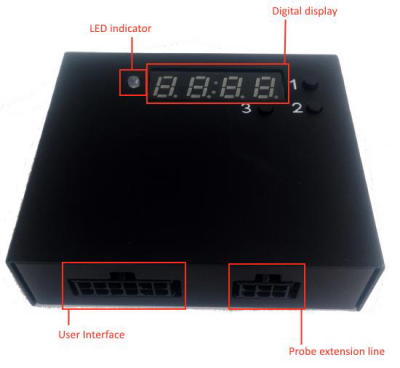
UL202 Ultrasonic Fuel Level Sensor connected to FMB640 using the RS232 interface.
Ul202 sensor technical parameters:
Port definition of user interface - User interface port is used to connect UL202 Ultrasonic Fuel Level Sensor connected to FMB640 using with RS232 interface
Before installation, make sure the UL202 Ultrasonic Fuel Level Sensor is not powered ON. The RED and BLACK wires of the User Interface line have to be connected to the Power Supply of the vehicle with the RED wire connecting the positive role and BLACK wire connecting the ground. UL202 has RS232 serial port output:
In order to configurate FMB640, FMC640, FMM640 to read UL202 Fuel Sensor information, COM1/2 port have to be selected as “UL202-2 Fuel Sensor”. Baudrate is 9600. To receive UL202 Fuel Sensor information to the configured server, the Ultrasonic UL202 Fuel level and status have to be enabled in the “I/O” section.
In order to configurate FMB125, FMM125, FMC125, FMU125 to read UL202 Fuel Sensor information, COM1/2 port have to be selected as “UL202-2 Fuel Sensor”. Baud rate is 9600.
To receive UL202 Fuel Sensor information to the configured server, the Ultrasonic UL202-2 Fuel level and status have to be enabled in the “I/O” section.
With FM63 00.03.XX version, FM63XY/FMB630 can support Ultrasonic UL202 Fuel sensors. In order to configure the device to read UL202 Sensor information, the COM1/2 port has to be selected as “UL202-2 Fuel Sensor”. To receive UL202 Fuel Sensor information to the configured server, in preferred device Profile Ultrasonic UL202-2 Fuel level and status have to be enabled in the “I/O” section.
RS232 Communication: The Yellow wire (TX) is connected with PIN6 RS232 Rx and the Blue wire (RX) is connected with PIN5 RS232 Tx. The Black wire (GND) connected to the Teltonika GNSS device ground.