By the end of this page the app is running and the home screen shows your own email address. Every command here was run on a clean clone and the timings are real.
You do not need Xcode, Android Studio, or a Mac to get through this page. The app runs in your browser first.
From inside the project folder:
This pulls the app, the backend, and the shared packages in one go. It took 20 seconds here with a warm package cache. The first time on a new machine it downloads the whole dependency tree, so expect two to four minutes.
This writes apps/api/.env and apps/mobile/.env , and generates a real random JWT_SECRET for you. It never overwrites a file that already exists, so it is safe to run again.
Do not skip this and copy the example files by hand
apps/api/.env.example ships a placeholder secret that reads replace-me-with-a-long-random-string-at-least-32-bytes . It is 54 characters long, so it passes the server's length check and the backend starts without complaining. But that value is published in every copy of this repository, and anyone who has it can mint a valid login token for any account on your server. We tested exactly that: a token signed with the placeholder was accepted as a real session.
init-env.mjs generates a random secret instead. The backend now refuses to start with the placeholder when NODE_ENV=production , and prints a loud warning in development, so you get told rather than silently exposed. If you ever do copy the example by hand, open apps/api/.env and replace that line before you go further.
The migration takes under three seconds and creates a SQLite file. The server starts on port 3000 in roughly six seconds.
Check it is alive from a second terminal:
You should see {"ok":true,"ts":1785481847} .
It is /healthz , not /health
/health returns a 404. The z is a convention borrowed from Kubernetes.
Leave the backend running. In a second terminal :
Press w for the browser, i for the iOS simulator (Mac only), or a for an Android emulator. The browser is the fastest way to see something.
The first browser bundle takes about 90 seconds . Later reloads are a few seconds. Open http://localhost:8081 if it does not open by itself.
If expo start exits immediately
Expo's startup check that compares your package versions against its registry can crash with TypeError: Body is unusable: Body has already been read . It is a bug in the check, not in your install. Skip it:
On Windows PowerShell: $env:EXPO_NO_DEPENDENCY_VALIDATION=1 first, then the normal command.
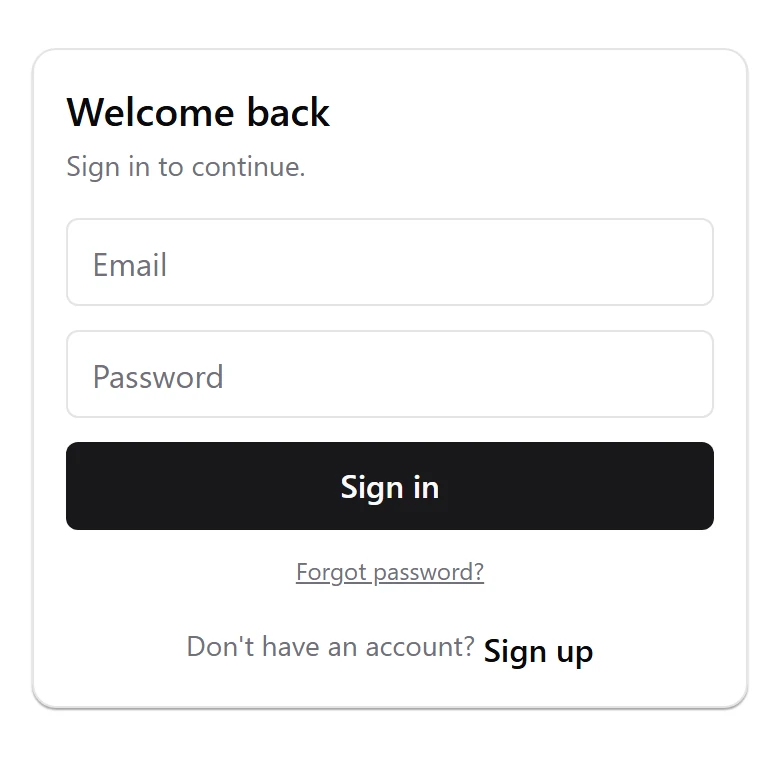
The app opens on a sign-in screen. Choose Sign up , fill in a name, any email, and a password of at least 8 characters, then press Create account .
You land in a three-step welcome flow. Step through it, and the home screen greets you with Signed in as [email protected] . That is the full stack working: the app talked to your backend, the backend created a user, and the session came back.
Two commands, both should come back green:
pnpm test gives 85 passed, 0 failed across 12 suites and 5 packages. typecheck reports 7 successful, 7 total and covers both apps and all six shared packages.
If either comes back red on a clean clone, that is a bug in the template and not in your setup. Tell me and I will fix it.
Next: Open It in Claude Code , which is the one-time setup that makes every prompt after it land.